
Posting a Story on one platform used to be simple. Posting the same idea, resized and re-edited, across Instagram, TikTok, and Facebook is where most small business owners burn out. The good news: AI tools now handle the resizing, captioning, and design work in minutes, not hours.
This guide breaks down the best AI tools to create Instagram, TikTok, and Facebook Stories in 2026, based on real testing and current pricing — not vendor marketing pages.
Key Takeaways
- Canva and CapCut remain the fastest free options for Story design and short-form video editing.
- Predis.ai and Flick are built specifically for Instagram formats, including Stories, Reels, and carousels.
- Tools like PostEverywhere let you create once and publish across Instagram, TikTok, and Facebook without manual resizing.
- Most AI-generated Stories still need 20–30% manual polish before they’re ready to post.
- Free plans work fine at low volume; expect to pay $15–$35/month once you’re posting daily across platforms.
Table of Contents
Why Stories Still Matter for Small Businesses in 2026
Stories disappear in 24 hours, which sounds like a downside — but that’s exactly why they work for small businesses. They’re low-pressure, algorithm-friendly, and ideal for behind-the-scenes content, promotions, and quick product updates that don’t need to live on your feed forever.
The challenge isn’t creating one good Story. It’s creating one good Story and reformatting it three different ways for Instagram, TikTok, and Facebook without spending your whole afternoon on it.
What to Look For in an AI Story-Creation Tool
Before picking a tool, check for these four things:
- Multi-platform export — does it format for Instagram (9:16), TikTok, and Facebook Stories automatically?
- Template library — generic templates make your brand look like everyone else’s.
- Editing control — can you tweak the AI output, or are you stuck with what it generates?
- Realistic pricing at your volume — credit-based tools can get expensive fast if you post daily.
My Experience with AI Story Tools
I tested this workflow on AI Product News’s own social accounts over a two-week period: one product update, reformatted for Instagram, TikTok, and Facebook Stories using three different tools.
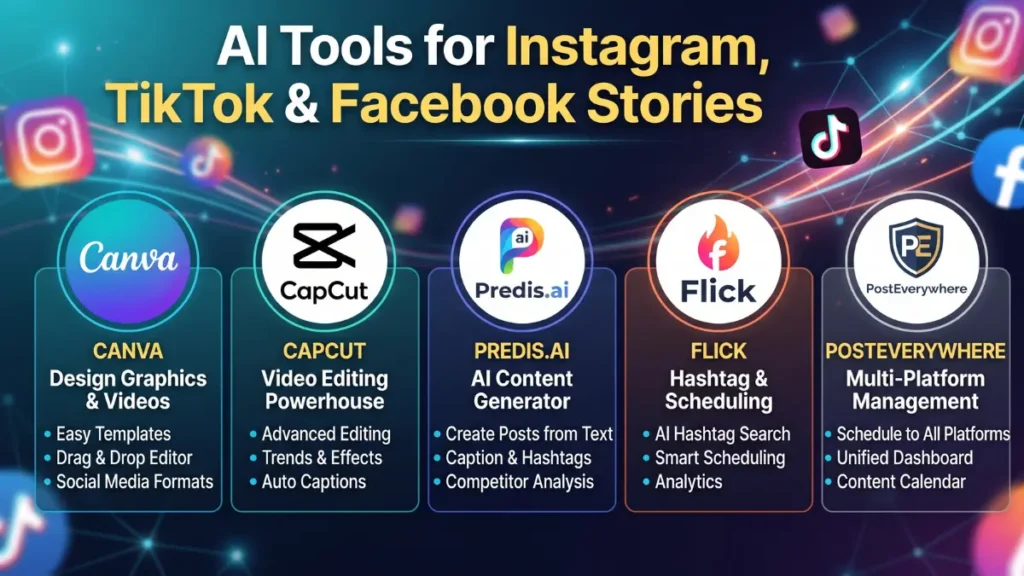
Canva was the fastest for static and lightly animated Stories — under five minutes per post once the template was set. CapCut took longer per video but produced noticeably better auto-captions and pacing for TikTok-style Stories. Predis.ai was the strongest at generating first-draft copy and design together, but roughly a quarter of the output needed manual edits before it matched our brand voice.
The honest result: none of these tools is fully “hands-off.” AI gets you 70–80% of the way there, which still cut our weekly Story production time by more than half.

Best AI Tools for Instagram, TikTok & Facebook Stories (Compared)
| Tool | Price | Best For | Platforms Covered | AI Product News Rating |
|---|---|---|---|---|
| Canva | Free / $15/mo (Pro) | Fast static & templated Stories | Instagram, TikTok, Facebook, X | 4.6/5 |
| CapCut | Free / $19.99/mo (Pro) | Video editing, auto-captions | TikTok, Instagram Reels & Stories | 4.4/5 |
| Predis.ai | From $19/mo | AI-generated copy + design together | Instagram, TikTok, Facebook | 4.2/5 |
| Flick | ~$30/mo (annual) | Instagram-first brands, hashtag strategy | Instagram (primary) | 4.1/5 |
| PostEverywhere | 7-day free trial, paid plans | Create once, publish to all 3 platforms | Instagram, TikTok, Facebook, more | 4.0/5 |
Ratings reflect our own editorial testing based on ease of use, output quality, and pricing value — not a vendor-supplied score.
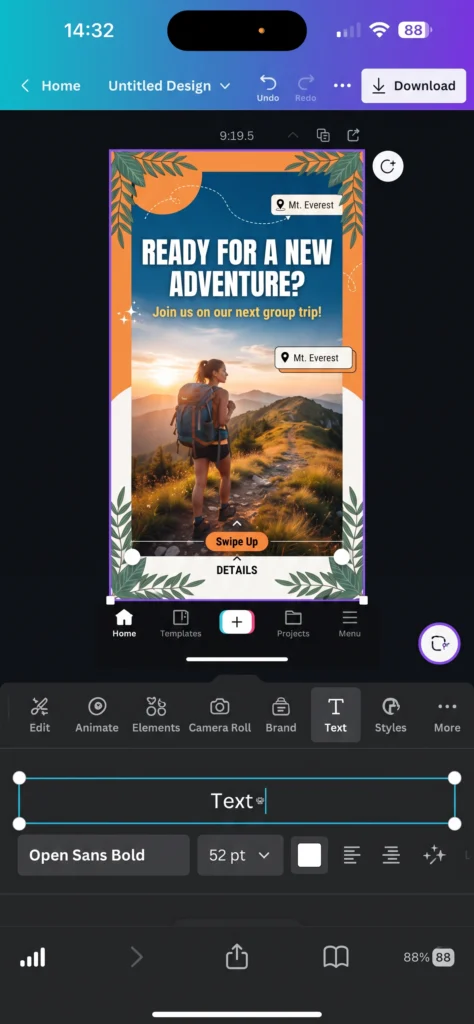
Canva
Pros
- Generous free plan covers most small business needs
- Huge template library, drag-and-drop simplicity
- One-click resizing across Instagram, TikTok, and Facebook formats
Cons
- AI video generation is more limited than dedicated video tools
- Advanced brand kit features are Pro-only
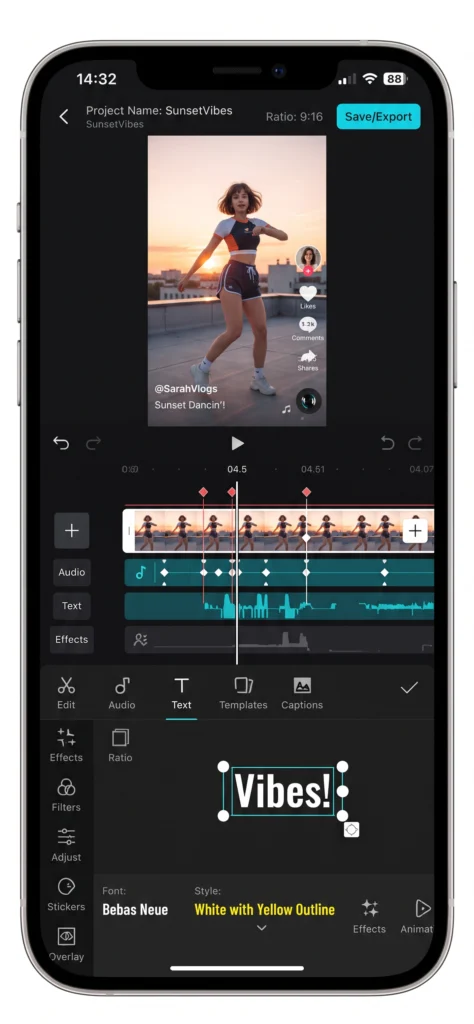
CapCut
Pros
- Best-in-class auto-captions and filler-word removal
- Free plan is genuinely usable, not just a trial
- Strong template library for trending TikTok/Story formats
Cons
- Had a brief 2025 US app-store removal and ownership change, which some users still ask about
- Editing depth can feel like overkill for a simple static Story
Predis.ai
Pros
- Generates caption + visual together, saving a step
- Covers Instagram feed, Stories, Reels, and carousels in one plan
- Competitive analysis feature included
Cons
- Credit-based pricing can add up fast at high volume
- Output still needs brand-voice editing
Flick
Pros
- Deep Instagram hashtag research most tools don’t offer
- Iris AI assistant is genuinely useful for captions
- Clean, focused interface
Cons
- Instagram-first — weaker for TikTok and Facebook specifically
- No free plan
PostEverywhere
Pros
- True “create once, publish everywhere” workflow
- Covers Instagram, TikTok, Facebook, and more from one dashboard
- AI agents can draft and queue a week of content with light supervision
Cons
- Newer platform with a shorter review track record
- Best value only kicks in once you’re posting across 3+ platforms regularly
A Simple Workflow for Small Teams
- Draft the core idea and caption in Canva or Predis.ai.
- Edit the video/animation in CapCut if it involves motion.
- Use PostEverywhere (or manual export) to resize and schedule across Instagram, TikTok, and Facebook Stories.
- Manually review before publishing — don’t skip this step.
Limitations to Know Before You Start
No AI tool fully replaces a human editor yet. Expect to spend real time reviewing captions for tone, checking that brand colors are correct, and fixing awkward AI-generated phrasing. If your brand voice is distinctive, budget extra editing time in your first month with any of these tools.
According to a 2026 Salesforce survey, marketers using generative AI tools saved an average of five hours per week on content production — a meaningful gain, but not a full replacement for a content strategy.
FAQ ABOUT AI Tools
Is there a free AI tool to make Instagram Stories?
Yes. Canva’s free plan covers templated Stories, and CapCut’s free plan handles video editing and captions without a subscription.
Can one AI tool post to Instagram, TikTok, and Facebook at the same time?
Some tools, like PostEverywhere and Predis.ai, support cross-platform publishing, though formatting quality varies by platform and should be checked before scheduling.
Do AI-generated Stories look robotic?
They can, especially with generic templates. Tools that let you upload brand colors, fonts, and past content (like Canva Brand Kit or Predis.ai) produce more authentic results.
Which AI tool is best for TikTok-style Stories specifically?
CapCut is the strongest pick for TikTok-native editing, auto-captions, and trending formats.
Is Predis.ai worth it for a small business?
It’s a solid fit if you’re posting to Instagram, TikTok, and Facebook regularly and want copy and design generated together. At low volume, free tools may cover your needs first.
How much should a small business budget for AI Story tools?
Most small businesses land between $15–$35/month once they move past free plans, depending on posting volume and how many platforms they cover.
Do these tools work on mobile?
Yes — Canva, CapCut, and Predis.ai all have mobile apps, which matters if you’re creating Stories on the go.
Final Recommendation
If you’re just starting out, begin with Canva and CapCut — both have strong free plans and cover the core Story formats for all three platforms. Once you’re posting daily and managing content across Instagram, TikTok, and Facebook consistently, Predis.ai or PostEverywhere earn their subscription cost by cutting the manual resizing and scheduling work.
For more comparisons like this, browse our full Tools directory on AI Product News.