
AI image generation has evolved from generating uncanny, synthetic visuals into creating studio-grade, photorealistic art and hyper-stylized content. Using Google’s Gemini, you can create breathtaking photos, retro film snaps, 3D toy figures, and commercial product shots with simple text instructions.
Whether you are looking to elevate your social media grid, generate professional branding visuals, or experiment with artistic aesthetics, finding the right gemini ai photo prompt is key.
Below is your ultimate beginner’s starter guide, followed by 10 viral, ready-to-use copy-and-paste prompts that are trending across the web.
Table of Contents
How to Generate Images in Gemini: Quick Starter Guide
Generating images in Gemini is simple and intuitive. You do not need complex code or deep technical expertise—just natural descriptive language.
- Open Gemini: Head to the Gemini web interface or mobile app.
- Enter Your Prompt: Start your instruction with descriptive cues like “Generate a photo of…” or “Create an image showing…”.
- Refine as Needed: If the initial result isn’t quite right, ask Gemini to tweak lighting, camera angle, background, or subject pose.
The Golden Formula for a Powerful Gemini AI Photo Prompt
To get ultra-realistic or visually precise results, structure your prompt using this 5-part formula:
text{Prompt} = \text{Subject} + \text{Environment} + \text{Lighting/Color} + \text{Style/Medium} + \text{Camera Details
- Subject: Who or what is the main focus?
- Environment: Where are they located? (e.g., misty bamboo forest, minimalist studio)
- Lighting: What type of light illuminates the scene? (e.g., golden hour, soft box studio light, neon glow)
- Style/Medium: Is it a 35mm film photograph, an oil painting, or an isometric 3D render?
- Camera Details: Add focal length or depth of field cues like 85mm lens, f/1.4 aperture, shallow depth of field.
10 Copy-and-Paste Viral Gemini AI Photo Prompts
Here are 10 trending prompts designed to deliver jaw-dropping visuals. Simply copy the text, tweak the bracketed [details] if desired, and paste it straight into Gemini!
1. The 3D Vintage Vinyl Toy Figure (Viral Trend)

Transforms any subject into a collectible 3D vinyl action figure inside retail packaging.
Prompt:
Create a 3D vinyl action figure of [a trendy graphic designer wearing a hoodie and sneakers], presented inside a sleek, modern plastic collectible box with transparent window packaging. Soft studio lighting, realistic plastic and card textures, high detail, clean background.
2. 35mm Golden Hour Street Portrait
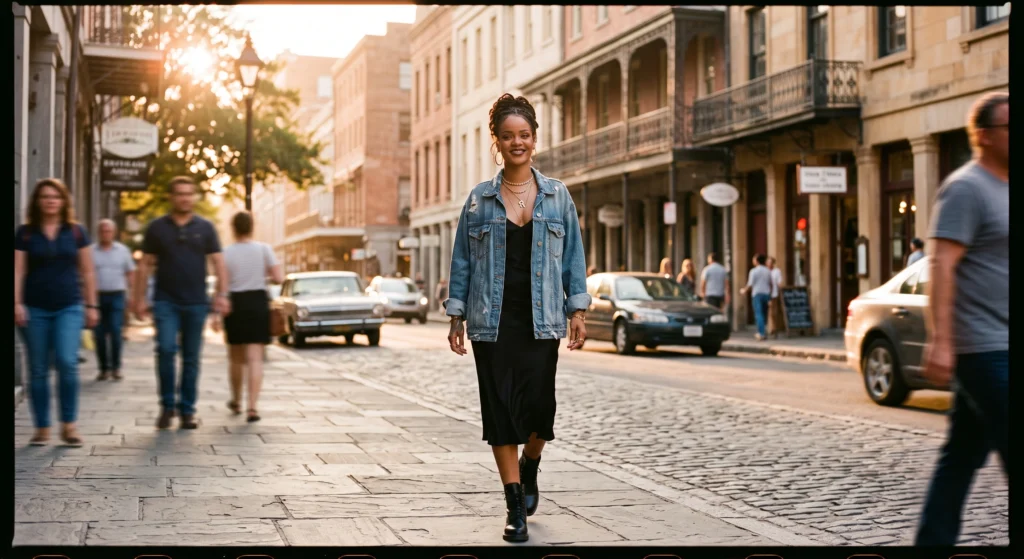
Achieves a warm, organic, film photograph look with cinematic golden hour light.
Prompt:
A candid street portrait of a smiling person walking barefoot along a sunlit city pavement during golden hour. Shot on a 35mm camera, 85mm lens, f/1.8 aperture, natural skin texture, warm sunlight haze, gentle lens flare, and shallow depth of field.
3. Cyberpunk Neon Rain Reflection
Creates a futuristic, high-contrast urban portrait drenched in vibrant neon hues.
Prompt:
A dramatic night portrait of a person standing under a clear umbrella in a rain-slicked Tokyo street. Vibrant cyan and magenta neon sign reflections glowing on wet pavement, high contrast, crisp detail on facial features, soft background bokeh.
4. Dutch Golden Age Chiaroscuro Oil Painting
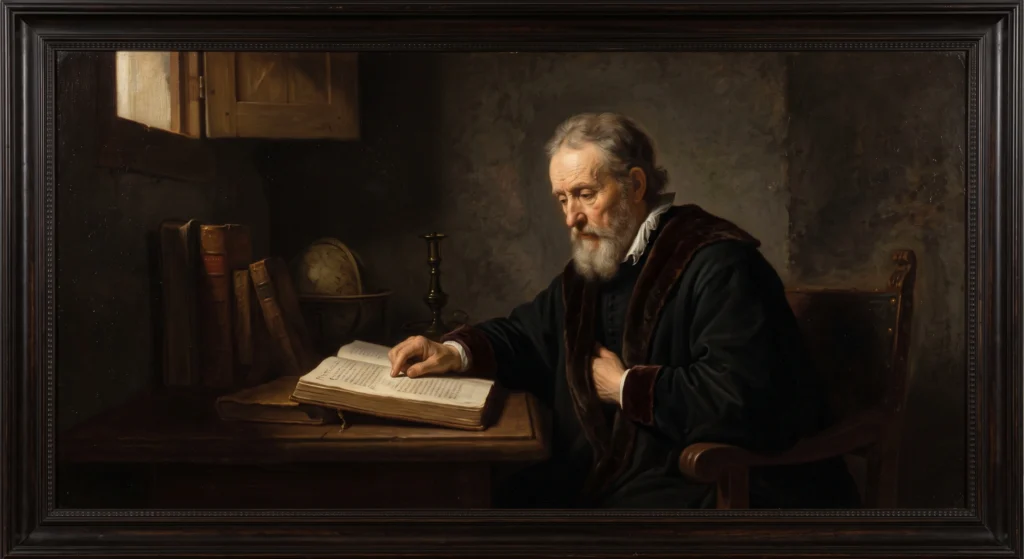
Reimagines a portrait in the classic museum style of Rembrandt.
Prompt:
Reimagine a portrait of a contemplative subject in the style of a Dutch Golden Age painting. Use dramatic chiaroscuro lighting with sharp contrast between light and dark. Realistic oil canvas texture, rich skin tones, deep muted brown and dark background.
5. Isometric 3D Miniature Cityscape
Turns a real city into a detailed 3D diorama model with soft lighting.
Prompt:
Present a clear 45-degree top-down isometric miniature 3D scene of a bustling coastal town. Soft refined textures, tilt-shift lens blur gradient, gentle lifelike shadows, clean pastel background, high detail, vibrant colors.
6. High-Fashion Editorial Studio Portrait
Produces a magazine-cover-ready studio photo with crisp lighting.
Prompt:
A high-fashion studio photo of a model wearing an avant-garde monochrome outfit against a dark gray seamless background. Soft box key light, sharp focal alignment on eyes, natural skin texture, minimalist composition, Vogue editorial aesthetic.
7. 1970s Vintage Attic Film Memory

Creates a nostalgic, analog photograph filled with vintage character.
Prompt:
A nostalgic 1970s color photo of friends at a backyard summer gathering. Subtle film grain, warm muted earth tones, slight color fading, soft light leak in the corner, milky dark shadows, captured on expired Kodak film stock.
8. Commercial E-Commerce Product Staging
Generates high-end product photography for brands and online stores.
Prompt:
A premium studio product shot of a luxury perfume bottle placed on a damp marble pedestal. Soft morning window light filtering through tropical palm leaves, delicate water drops on glass, crisp micro-texture clarity, neutral aesthetic.
9. Retro Super 8mm Home Movie Still
Gives your prompt a cinematic, lo-fi aesthetic reminiscent of vintage film footage.
Prompt:
A cinematic still shot on a Super 8mm home movie camera. A person laughing at an outdoor café, soft blur, heavy film grain, warm golden sunlight, rounded frame corners, nostalgic 1980s summer mood.
10. Professional Corporate LinkedIn Headshot
Produces a clean, trustworthy business portrait perfect for professional profiles.
Prompt:
A professional corporate portrait of a confident person wearing a tailored suit jacket over a clean shirt. Soft studio lighting, neutral light-gray background, natural skin tone, approachable smile, shallow depth of field, 4k crisp detail.
Pro Tips for Customizing Any Gemini AI Photo Prompt
- Avoid Vague Words: Instead of saying “make it pretty,” specify “use soft golden hour backlighting and pastel tones.”
- Specify What to Keep: When tweaking an existing image, tell Gemini what to retain (e.g., “Keep the subject’s face and clothing unchanged, but swap the background”).
- Use Real Photography Terms: Words like bokeh, focal length (50mm/85mm), f-stop (f/1.4), and film grain significantly boost image realism.
Frequently Asked Questions ABOUT (Q&A)
Q1: Is image generation in Google Gemini free to use?
Yes, core image generation capabilities in Gemini are accessible to standard Google users, with enhanced resolution and advanced features available under premium Gemini plans.
Q2: What is the best gemini ai photo prompt structure for realism?
The best prompt structure specifies five core elements: Subject + Environment + Lighting + Photography Style + Camera Lens Settings.
Q3: Can Gemini edit an existing photo I upload?
Yes! You can upload an image and ask Gemini to perform targeted edits, such as changing the background, altering the lighting style, or transforming it into a different art medium while keeping the subject intact.
Q4: Why do my AI images look shiny or fake?
AI models often default to a polished digital look. To fix this, add descriptors like “natural skin texture,” “35mm film grain,” “unfiltered lighting,” or “soft daylight” to your prompt.
Q5: Can I generate images with readable text in Gemini?
Yes, Gemini’s underlying image models excel at rendering clean, short typography (like product labels, titles, or signboards) when you enclose the exact wording in quotation marks inside your prompt.
To get the most productivity out of ChatGPT, keeping your chat history organized is essential. Standard ChatGPT lacks native custom folders, deep search, and built-in prompt management—which is where extension tools come in. I personally recommend trying Superpower ChatGPT
, a browser extension trusted by over 400,000 users. It adds folder management, prompt chains, text highlighting, and one-click exports directly inside your ChatGPT interface. You can install and try it out via Superpower ChatGPT.
Managing complex AI workflows requires the right set of tools and reliable insights. For comprehensive reviews, guides, and updates on the latest artificial intelligence technologies, check out AI Product News
. If you’re looking to upgrade your daily workflow specifically, we recommend trying Superpower ChatGPT—a popular browser extension that adds custom folders, chat search, and advanced prompt management directly into your ChatGPT interface.