
Gemini AI Photo Prompt Image generation on Google Gemini has reached incredible levels of photorealism and artistic versatility. But to get those “wow” results that stop the scroll, you need the perfect formula. Standard descriptions often fall flat.
Table of Contents
What is a Copy-and-Paste Prompt?
A copy-and-paste prompt is a structured text template that includes specific photography keywords (lighting, lens data, art style) known to trigger high-quality outputs in Gemini’s latest image models.
I have optimized these prompts to be extremely reproducible. The key is consistent adjective structure. Simply copy the entire gray text block, tweak the variables inside the [brackets] if you must, and paste it into Gemini.
How to Use These Prompts on Gemini: Step-by-Step
Using these templates is simple and yields studio-quality results every time.
Step 1: Access Gemini
Log in to gemini.google.com or use the Gemini Advanced app. Ensure you are using the latest model version for best image results.
Step 2: Choose Your Style and Copy the Prompt
Scan the 10 categories below. Find the visual style that matches your need (e.g., Photorealistic Street Portrait, 3D Isometric Miniature, Studio Product Shot).
Use the gray text block labeled "Copy Prompt". Highlight all the text within that block and copy it (Ctrl+C / Cmd+C).
Step 3: Paste and Generate
Paste the text (Ctrl+V / Cmd+V) directly into the Gemini chat box.
(Optional) Before hitting enter, you can quickly edit the bracketed variables (like changing [a professional woman] to [a smiling chef]), but keep all the other technical photography keywords intact. These keywords (like 85mm f/1.8) are the “secret sauce” for high-fidelity outputs.
Step 4: Refine the Output
Gemini will generate several images. If the perfect one isn’t there, do not start over. Simply tell Gemini what to adjust (e.g., “Make the lighting warmer,” “Change the background to a rainy evening”). Gemini will regenerate the images while maintaining the overall core composition.
10 Copy-and-Paste Trending Gemini AI Photo Prompts
Here are 10 highly optimized prompt templates covering the most requested visual styles, complete with examples of what Gemini generates using these exact words.
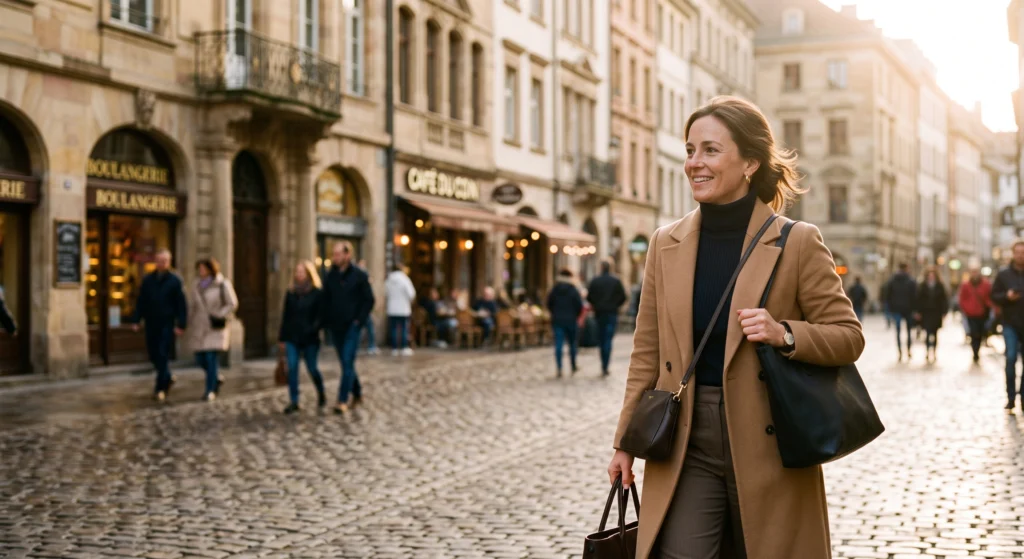
1. Ultra-Realistic Street Photography (Golden Hour)
This prompt delivers warm, cinematic street portraits with perfect natural bokeh and sharp skin textures.
Copy Prompt:
A candid street portrait of [a professional woman] walking in a European city center during golden hour. Natural skin texture, soft diffused sunlight, gentle lens flare, shot on a 35mm lens, f/2.2 aperture, subtle film grain, blurred background bokeh of blurred pedestrians and historic architecture.
2. Studio Quality E-Commerce Product Staging (Luxury)
Perfect for online stores and marketers needing high-end, clean product visuals without a studio rental.
Copy Prompt:
Premium studio product photography of [a luxury watch] displayed on a polished black marble slab. Minimalist staging with subtle mist, softbox key lighting, 105mm macro lens, sharp details on textures, crisp reflection, professional catalog aesthetic.
3. Cyberpunk Night Portrait (Neon Haze)
Generates dynamic, moody urban portraits saturated with vibrant neon reflections.
Copy Prompt:
A moody cyberpunk portrait of a person standing under a rainy night in a futuristic Asian metropolis. Vibrant cyan and magenta neon light reflections on wet pavement, dynamic backlighting, high contrast, crisp facial features, high detail, volumetric haze.
4. 3D Isometric Miniature World
Creates a charming, clean, top-down isometric view of a simplified environment. Highly popular for icons and diagrams.
Copy Prompt:
A vibrant 3D isometric render of a simplified, clean [mountain ski resort village]. Miniature tilt-shift lens effect, soft uniform lighting, smooth matte textures, high detail, clean background, cute aesthetic, 45-degree viewpoint.
5. Professional Corporate Headshot (LinkedIn Style)
Delivers a trustworthy, clean business portrait with flattering lighting.
Copy Prompt:
A professional corporate headshot of a smiling, confident [man in a suit] against a slightly blurred light-gray seamless background. Soft portrait lighting (Clamshell pattern), high-fidelity detail, 85mm lens, f/5.6, approachable expression, crisp focus on eyes.

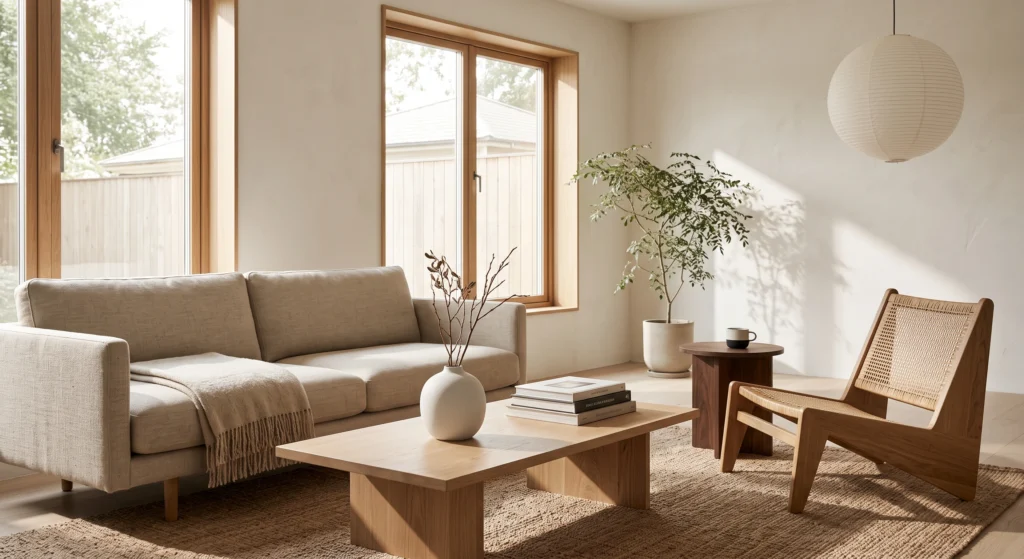
6. Interior Design Magazine Spread (Minimalist)
Produces clean, architectural digest quality room visuals.
Copy Prompt:
Interior design photograph of a minimalist [Scandandi-Japanese living room]. Natural afternoon sunlight streaming through large windows, soft shadows, sharp focus on tactile textures (linen, oak wood, ceramics), minimalist styling, professional editorial composition.
7. Vintage 1970s Film Memory (Analog Aesthetic)
Captures a nostalgic, soft, grainy analog look popular for social media grids.
Copy Prompt:
A nostalgic 1970s color photo memory of a group of friends [laughing at a beach bonfire]. Warm, faded color grading, heavy film grain, light leak in the corner, soft focus, milky black levels, captured on expired Kodak film stock.
8. Architectural Visualization (Modern Glass)
Generates professional, dynamic renders of contemporary buildings.
Copy Prompt:
A dramatic architectural visualization of a modern [glass museum building] at twilight. Blue hour sky, internal warm glowing lights, perfect reflection on a large water feature, crisp clean lines, dynamic composition, 24mm wide-angle lens view.
9. Surreal Double-Exposure Portrait
Blends a human portrait with a landscape or natural pattern.
Copy Prompt:
A surreal double-exposure portrait of [a contemplative person] where their silhouette is merged with a detailed [mountain landscape with pine forests]. High contrast black and white image, fine detail, intricate blending, gallery art aesthetic.
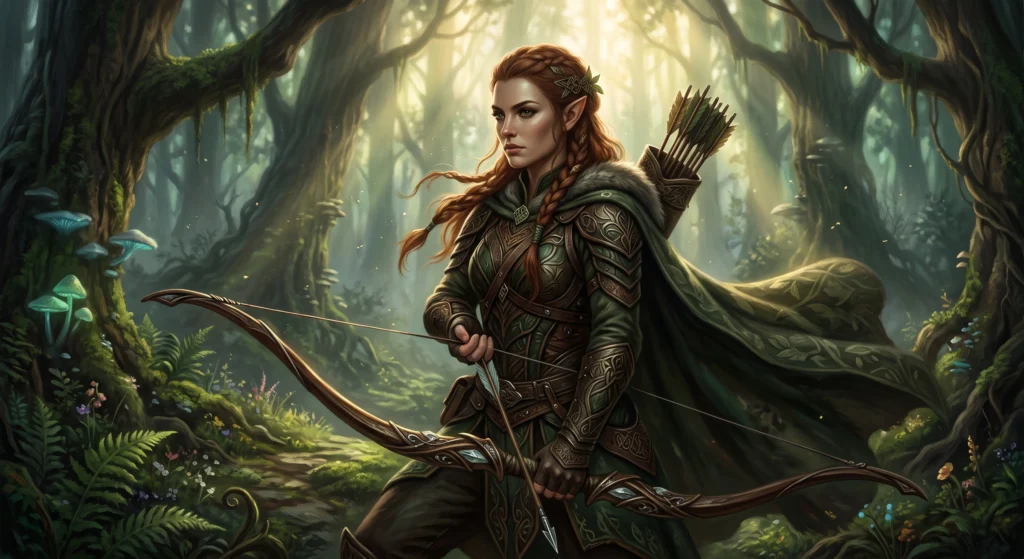
10. Fantasy Character Art (Cinematic Lighting)
Ideal for game design concepts, storyboards, or concept art.
Copy Prompt:
A cinematic, realistic fantasy character portrait of [an elven ranger with a bow] in a mystical forest. Volumetric backlighting, dramatic chiaroscuro lighting, intricate leather armor texture, epic composition, high fidelity, digital painting style.
Pro Tips for Maximum Reproducibility
- Do Not Delete Camera Keywords: Terms like 35mm lens, f/2.2, golden hour, bokeh are essential instructions for the AI model’s quality control. If you remove them, the image will lose its professional “sheen.”
- Keep Brackets Simple: When editing the bracketed information, be direct. Instead of
[a very nice car]use[a red sports car]. Simple nouns work best. - If it Fails, Tell Gemini: AI isn’t perfect. If the 35mm portrait doesn’t have the blurred background you want, respond to the result with: “Make the background much more blurred (f/1.4 aperture bokeh).” Gemini is excellent at iterating on its own work.
By mastering these copy-and-paste templates, you are bypassing the learning curve and generating images that compete with professional artists. The visual high ground is yours.
MORE PROMPT : HERE
While mastering prompt structure is essential for generating realistic images, pairing visual AI with modern automation tools can completely transform your content pipeline. If you are looking to scale your digital strategy and save hours on creation, explore our comprehensive collection of AI tools and tutorials. By combining copy-and-paste Gemini photo prompts with automated scheduling and workflow platforms, creators can produce full-scale marketing assets in seconds rather than spending hours on manual edits.