
Does Grok Know Your Location: If you’ve ever asked Grok a question and been surprised when it referenced your city, you’re not imagining things. Grok doesn’t need GPS to make a solid guess about where you are — most of the time, it’s reading your IP address, and sometimes it’s pulling extra context from your X account. This isn’t unique spying; it’s the same background data almost every app and website collects. Below, we break down exactly which signals Grok uses, what it can and can’t see, and how to dial back the tracking on your phone.
Key Takeaways
- Grok’s default location signal is your IP address, which resolves to a city or region — not a street address.
- Signing in through X adds a second layer: profile data and account history, but not GPS coordinates by itself.
- Precise GPS location only reaches Grok if you’ve granted the app or browser that permission separately.
- Uploading photos can leak location through EXIF metadata or visible landmarks, even with location services off.
- A VPN hides your IP-based location but does nothing to stop account-linked or in-chat data sharing.
Table of Contents
How Does Grok Know Your Location? The Short Answer
Grok knows your location mainly through IP-based geolocation. Every time your phone or browser connects to xAI’s servers, it sends an IP address along with the request. xAI cross-references that address against IP-intelligence databases (the same kind of tool used by MaxMind and similar providers) to estimate your country, state, and usually your city. xAI’s own privacy documentation describes this as “inferred location data” based on the IP address.
This is standard practice across the internet — not something Grok invented. Grok automatically receives technical information when you use the service, including your IP address, device type, browser details, and approximate location. It’s a byproduct of how internet routing works, not active tracking of your device.
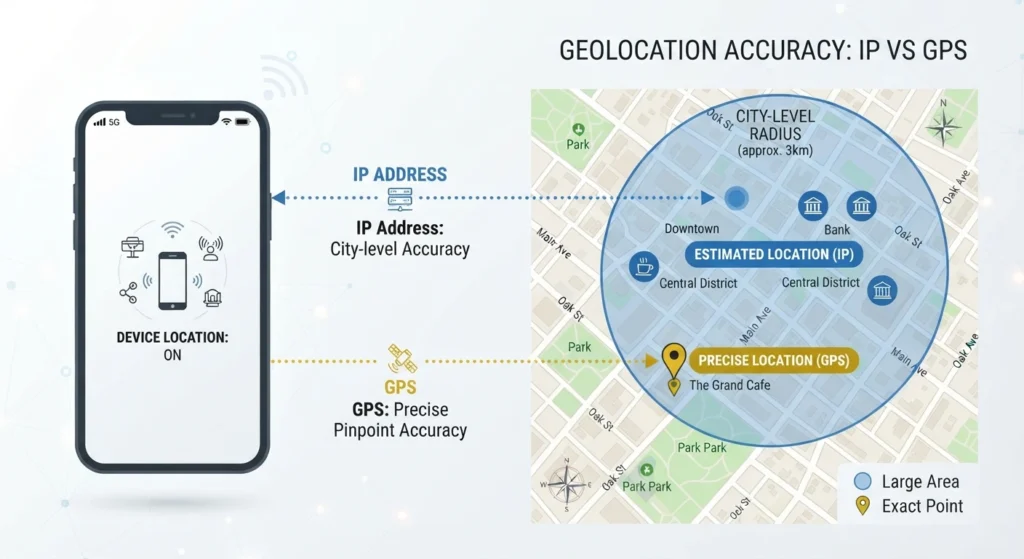
IP Geolocation vs. GPS
It helps to separate two very different kinds of “knowing your location”:
- IP geolocation — automatic, passive, city/region-level accuracy. This runs in the background every time you send a message.
- GPS location — precise, opt-in, and tied to a permission toggle on your phone or in the X app. Grok has no separate location permission of its own; it inherits whatever GPS access you’ve already granted to the app hosting it.
If Grok has ever nailed your exact neighborhood rather than just your city, it’s almost always because GPS or “Precise Location” was already switched on somewhere — not because IP alone got that specific.
The Extra Layer: Using Grok Through X

If you access Grok inside the X app rather than through grok.com, there’s a second data stream involved. X can share your public profile, username, numeric ID, date of birth, Premium status, and your Grok-on-X conversation history with xAI. None of that is a GPS coordinate — but it can tie your Grok activity to an X account that may already carry years of geotagged posts, location-tagged photos, or profile details that hint at where you live.
This also means the privacy policy that applies to you depends on where you’re chatting. Using Grok on X puts you under X’s own Terms and Privacy Policy, while the standalone app and grok.com run under xAI’s policy alone — a distinction worth knowing if you’re comparing what each surface can access.
My Experience Testing Grok’s Location Awareness
I ran a simple test across a few sessions: asking Grok neutral questions (“what’s a good place for lunch nearby”) from a mobile browser with location services off, then again with them on.
With location services off: Grok still returned my city correctly, purely from IP address. It didn’t know my neighborhood, and when I asked it to guess more precisely, it declined and said it only had approximate data.
With GPS/Precise Location on (via X): Responses got noticeably more specific — down to nearby streets — which lines up with the idea that GPS-level access, when granted, gets pulled in immediately rather than requiring a separate Grok-specific opt-in.
Where it fell short: Switching networks (home Wi-Fi to mobile data) sometimes confused the city-level guess for a session or two, since IP geolocation databases aren’t always instantly updated for mobile carrier IP ranges. So don’t expect perfect accuracy — IP-based location is an estimate, not a lookup table.
The honest takeaway: Grok isn’t secretly GPS-tracking you in the background. It’s working with whatever access you’ve already handed over, plus the IP address every server sees by default.
One limitation worth flagging: Grok occasionally over-explains its confidence. In a couple of test sessions it stated my city with more certainty than the underlying signal actually supported, then walked it back when I pushed for a source. If you’re using location-aware answers for anything that matters — like checking local business hours or regional pricing — it’s worth double-checking rather than assuming pinpoint accuracy.
How Grok’s Location Detection Compares to Other AI Tools
| Tool | Default Signal | GPS/Precise Location | Account-Linked Data | Location in Uploaded Photos |
|---|---|---|---|---|
| Grok (grok.com/app) | IP address (city-level) | Only if device permission granted | xAI account data | Yes, via EXIF/visual cues |
| Grok (via X) | IP address + X account | Inherits X app permission | X profile, post history, geotags | Yes, via EXIF/visual cues |
| ChatGPT | IP address (city-level) | Only if browser/app permission granted | OpenAI account data | Yes, via EXIF/visual cues |
| Gemini | IP address + Google account signals | Google location history if linked | Google account, Maps/Search history | Yes, via EXIF/visual cues |
| Claude | IP address (city-level) | Only if browser permission granted | Anthropic account data | Yes, via EXIF/visual cues |
The pattern across the board: IP address is the universal baseline, GPS is always opt-in, and any tool tied to a broader account ecosystem (X for Grok, Google for Gemini) can draw on more contextual signals than a standalone chatbot.
How to Limit What Grok Knows Your Location
- Turn off Precise Location for the Grok app or the X app in your phone’s system settings (iOS: Settings → Privacy → Location Services; Android: Settings → Location → App permissions).
- Disable location services in the browser if you use grok.com on mobile Safari or Chrome.
- Strip EXIF data from photos before uploading, or avoid photos with visible landmarks, signage, or license plates if you don’t want location guessed visually.
- Use a VPN to mask your IP-based location — note this won’t stop account-linked signals if you’re logged into X.
- Review Data Sharing settings in the Grok menu on X to limit whether your activity is used for model training.
None of these steps make Grok “blind” — technical logging (IP, device type, browser) happens by default on nearly every online service — but together they meaningfully cut down on how precise its guesses can get.
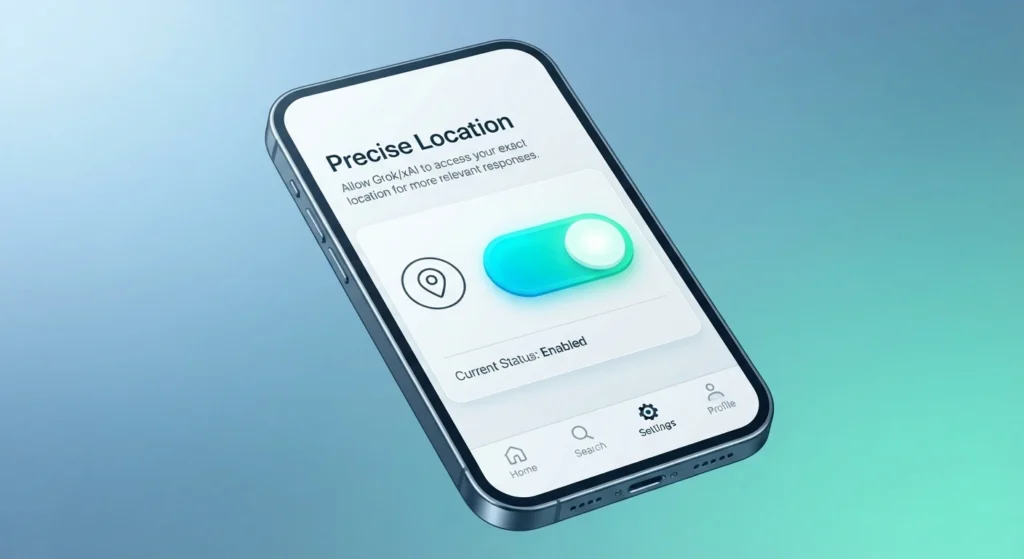
It’s also worth remembering that these settings live in different places depending on how you access Grok. If you mainly use the X app, the location toggle you want is under X’s own privacy settings, not a separate Grok menu. If you use grok.com or the standalone app, check your phone’s system-level location permissions first, since Grok itself has no independent GPS switch.
People Also Ask ABOUT Grok Know Your Location
Does Grok track my GPS location automatically?
No. Grok only sees GPS-level location if you’ve already granted that permission to the app (X or your browser) hosting it. Its default signal is IP-based and only accurate to city or region level.
Can Grok see my exact address?
Not unless you type it in, upload a photo revealing it, or have already granted precise GPS access somewhere in your device settings. IP geolocation alone doesn’t resolve to a street address.
Does using a VPN stop Grok from knowing my location?
A VPN masks your IP-based location, but it doesn’t stop location data tied to your X account or anything you’ve typed or uploaded in the conversation.
Is Grok’s location tracking different on X versus the standalone app?
Yes. Grok on X and Grok on grok.com see different things, because X carries its own geotag history and ad-personalization settings, while the standalone app only follows xAI’s own privacy policy.
Can Grok guess my location from a photo I upload?
Yes — either from EXIF metadata embedded in the image file, or from visual cues like signage, architecture, or landmarks, the same way any multimodal AI can.
Conclusion: Should You Worry About Grok Know Your Location?
For most people, no — Grok’s default location awareness is the same city-level IP inference that nearly every website and app already collects, and it exists mainly to make responses more relevant, not to track your movements. The real privacy decisions sit in settings you control: whether Precise Location is on, whether you’re logged in through X, and whether your uploaded photos carry metadata you didn’t mean to share.
Recommendation: Leave IP-based location alone (it’s low-risk and helps Grok give locally relevant answers), but turn off Precise Location unless you specifically need it, and think twice before uploading photos with visible location clues. Check your Grok and X privacy settings today — it takes under two minutes and puts you back in control of what Grok can see.
If you’re weighing Grok against other assistants beyond just location handling, it’s worth reading our full Grok vs ChatGPT (2026 Comparison): Which AI Assistant Reigns Supreme?, which breaks down how the two platforms differ on privacy, real-time data access, and everyday usability. On the location question specifically, xAI’s own Privacy Policy confirms that IP-based data is collected automatically to infer country, state, and city-level location, while more precise GPS or address data requires separate consent. For a deeper look at how this plays out for X-linked accounts, see ExpressVPN’s breakdown on Is Grok Safe to Use? and AI Insights News’ explainer on IP vs GPS location tracking in Grok.
Sources: xAI Privacy Policy; AI Insights News, “How Does Grok Know Your Location? IP vs GPS Explained”; ExpressVPN, “Is Grok Safe?”