
AI Video Generators Updated September 2026
Search “Search “best AI video generator for product ads”best AI video generator for product ads” and you’ll get ten lists that all put a different tool at #1 — usually the one selling the list. That’s not useful when you’re the one paying for the plan.
Here’s the honest version: there is no single best AI video generator for product ads in 2026. There’s a best tool for a URL-to-video UGC ad, a different one for a cinematic hero shot, and a third for a multilingual spokesperson explainer. Picking the wrong category costs you more than picking the wrong brand inside the right category.
Key Takeaways AI Video Generators
- HeyGen — strongest all-rounder for avatar-led, multilingual ads (30+ languages, largest avatar library, URL-to-video Video Agent).
- Creatify — fastest path from product URL/photo to a finished UGC-style ad, with a built-in ad launcher for Meta/TikTok.
- Synthesia — cheapest per-minute cost and widest language coverage (140+), but too polished for feed-native DTC ads.
- Runway / PixVerse / Kling — best for presenter-free product cinematography; pick Runway for polish, PixVerse or Kling for volume and speed.
- Google Veo 3 (Asset Studio) — fastest option if you’re already running Google Ads.
- Shhots AI / Photoroom — skip video entirely for static, placement-ready image ads.
- Credit systems distort pricing — a “$39/month” plan can cover as few as 5 finished videos once quality output is factored in.
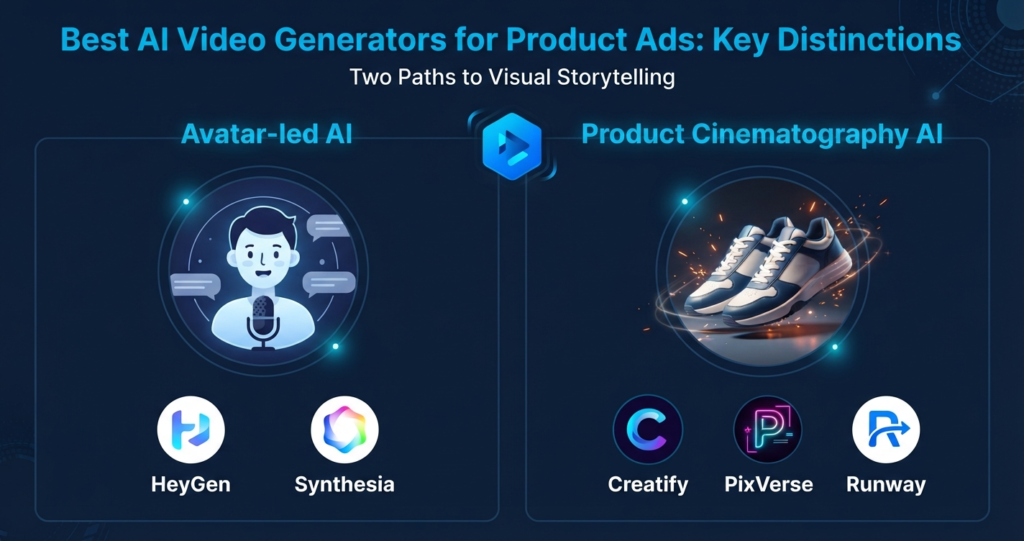
Table of Contents
How We Evaluated These Tools
This comparison is built from each vendor’s current pricing and API documentation, published credit-cost breakdowns, and third-party testing reports current as of September 2026 — not a single in-house production run. Pricing and credit math shift monthly across this category, so treat the numbers below as directional and confirm on the vendor’s own pricing page before budgeting a campaign.
How we evaluated these: we compared each tool against its own documented pricing/credit math, third-party pricing audits published in 2026, and vendor feature pages — not a single generated sample. Where a tool’s real cost diverges from its advertised price (which is common with credit-based plans), we call it out below rather than repeating the marketing number.
The Two Jobs These Tools Actually Do
Before comparing tools, separate what you’re asking for:
- A voiced presenter or avatar talks about the product (spokesperson ad, UGC-style testimonial, explainer). This is HeyGen, Synthesia, Creatify, Arcads territory.
- The product itself is the star — clean shots, camera moves, lifestyle scenes, no presenter. This is Runway, PixVerse, Kling, Seedance, Google Veo territory.
Most brands need both at different points in the funnel. Below is the shortlist for each.
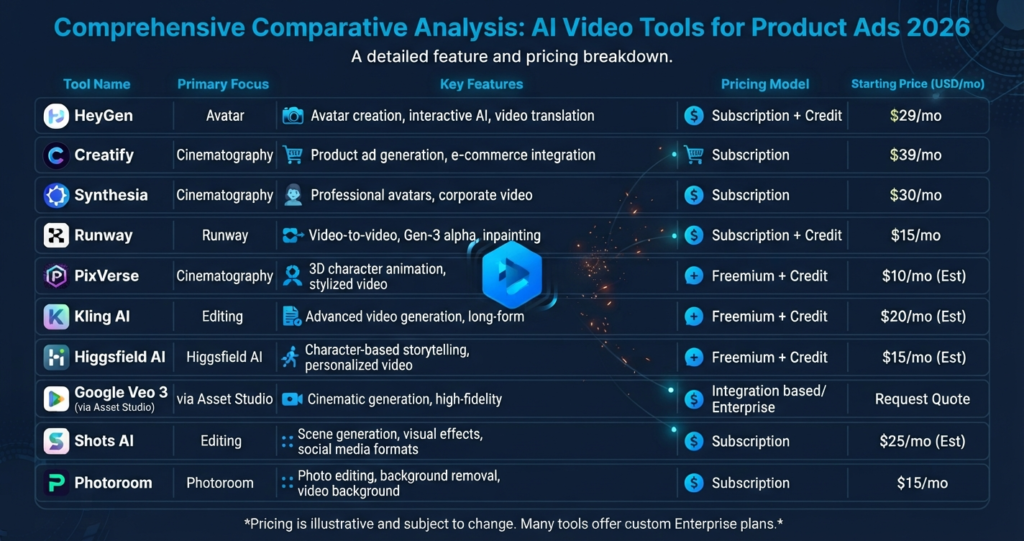
Comparison Table
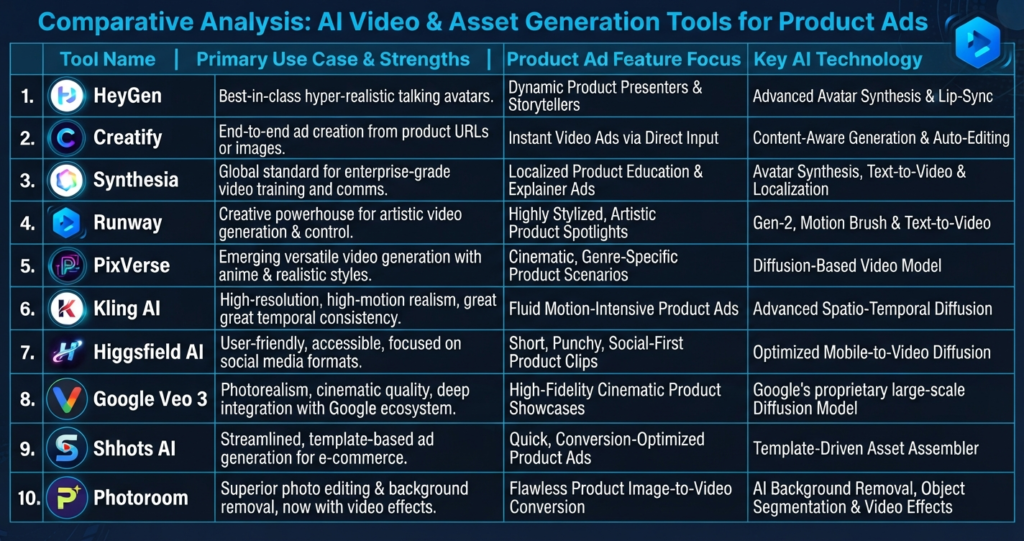
| Tool | Best For | Starting Price | Standout Feature |
|---|---|---|---|
| HeyGen | Multilingual avatar ads, URL-to-video | Free; Creator ~$29/mo | 30+ languages, 500+ avatars, Video Agent automation |
| Creatify | Product URL/photo → UGC ad | Free; Starter ~$39/mo | Batch Mode + one-click push to Meta/TikTok |
| Synthesia | Corporate spokesperson video, L&D-style product explainers | Free; Starter ~$18–29/mo | 140+ languages, cheapest per-minute cost |
| Runway | Cinematic product B-roll, hero shots | Usage-based, free tier | Strongest camera and lighting control |
| PixVerse / Kling | Fast, cheap short-form product clips | Free tier; low-cost credits | Good speed-to-cost ratio for vertical feed ads |
| Google Veo 3 (Asset Studio) | Brands already running Google Ads | Included in ad account | Native handoff into Performance Max/Discovery |
| Shhots AI / Photoroom | Static product photo → ad-ready image creative | ~$7.50–19/mo | Watermark-free exports, no prompting needed |
Prices shift often and most vendors run undisclosed promos — verify on the vendor’s own pricing page before you commit a budget.
Tool-by-Tool Breakdown
HeyGen — Best Overall for Avatar-Led Product Ads
Verdict: the only tool on this list that handles avatar realism, localization, and URL-to-video in one platform. HeyGen’s edge is breadth: it covers Meta, YouTube, and multilingual campaigns without a second tool. The catch is the credit system — a $29/month Creator plan includes roughly 600 credits, and Avatar IV renders alone run about 20 credits per minute of finished video, so a handful of premium avatar ads a month can burn through the plan. Budget for Pro (closer to $99/month in practice) if you’re producing weekly. See HeyGen’s official pricing for current tiers.
Pros: largest avatar library, strongest language coverage among the avatar-first tools, automated ad creation. Cons: premium avatar renders burn credits quickly; real cost often lands closer to $99/month than the advertised $29.
Creatify — Best for URL-to-Video UGC Ads
Verdict: the fastest route from a product listing to a running ad, if you’re willing to edit the AI-written script. Paste a URL, get a batch of ad variants with AI-generated hooks, then push the winner straight to a live Meta or TikTok campaign. On the API, most formats (URL-to-video, AI Avatar, custom templates) bill at 5 credits per 30 seconds — at the $99/500-credit tier, that’s under $2 for a finished 30-second ad. The in-app Starter and Pro plans meter quality output more expensively: a high-quality video can cost 15–20 credits, so a $39/month, 100-credit Starter plan realistically covers around 5 finished videos, not the 20+ the sticker price implies.
Pros: batch variation testing, direct ad launcher, competitor ad tracker on the Pro plan. Cons: credits expire on a rolling two-month cycle and quality output eats the entry-tier allowance fast. Plan on editing AI-written scripts before launch. See Creatify’s official pricing for current tiers.
Synthesia — Best for Cost-Per-Minute and Language Reach
Verdict: the most predictable pricing on this list, and the widest language coverage — at the cost of feeling too polished for feed-native ads. Synthesia meters by video minutes rather than a variable credit system, which makes budgeting simpler than HeyGen or Creatify. That corporate polish is a mismatch for TikTok/Reels-style DTC ads, where overly produced avatar content tends to underperform, but it’s a strong fit for product explainer and training-style video.
Pros: most predictable pricing model, best language coverage. Cons: avatar-narrated format performs worse on TikTok/Reels than product-led or UGC-style creative. See Synthesia’s official pricing for current tiers.
Runway — Best for Cinematic Product Shots
Verdict: the strongest camera and lighting control of any tool here, for brands that want the product to look shot on a real set. Runway is built for controlled light, deliberate camera moves, and hero cuts rather than volume — this is the tool for a single polished commercial, not a batch of 20 TikTok variants. Image-to-video mode takes your actual product photo as the starting frame, which helps keep packaging, labels, and proportions accurate across the clip.
Pros: strongest camera and lighting control on this list, image-to-video preserves your actual product as the base frame, output reads as premium rather than UGC. Cons: slower and pricier per clip than PixVerse or Kling; not built for high-volume creative testing. See Runway’s official pricing for current tiers.
PixVerse and Kling — Best for Fast, High-Volume Product Clips
Verdict: trade some of Runway’s polish for speed and a flatter, more predictable cost — the right call when you need many variants to test, not one hero cut. Both are text/image-to-video models built for short-form vertical feed content. Free tiers exist on both, but output is watermarked and restricted to non-commercial use until you’re on a paid plan — factor that into testing before you commit a creative budget.
Pros: cheap and fast enough to generate multiple hook variations for the same product, good fit for vertical 9:16 feed testing. Cons: product consistency across shots is the most common failure point on both — watch for the product morphing between frames, especially on longer clips.
Higgsfield AI — Worth a Look for Cinematic Camera Control
If Runway’s camera control appeals but you want a dedicated cinematography-focused alternative, Higgsfield AI’s Cinema Studio is built specifically around camera movement and multi-model access for product shots. Our full Higgsfield AI review covers its pricing and how its output compares to Runway and Sora in more depth than fits here.
Google Veo 3 via Asset Studio — Best If You’re Already in Google Ads
For brands running Performance Max or Discovery campaigns, generating directly inside Asset Studio removes a manual upload step. It’s not the highest-polish output on this list, but the workflow integration is the whole point — for anything client-facing or hero-quality, generate elsewhere and upload manually.
Shhots AI / Photoroom — Best for Static Product Image Ads
Not every ad needs to move. If the deliverable is image creative sized for Meta, TikTok, and Google rather than video, these tools turn one product photo into multiple placement-ready ad images without a prompt, watermark-free from roughly $7.50–19/month.
How to Choose
- Running paid social with a product URL and no script? Start with Creatify.
- Need the ad to speak in 10+ languages? HeyGen or Synthesia, depending on budget.
- Selling on visuals, not narration? Runway for polish, PixVerse or Kling for volume.
- Already spending in Google Ads? Generate natively in Asset Studio first, upgrade the winners elsewhere.
- Only need static creative? Skip video entirely — Shhots AI or Photoroom is cheaper and faster.
Whichever tool you pick, judge the output on the first 1–2 seconds and on whether the product stays visually consistent shot to shot. Those two things kill more AI-generated ads than any resolution or avatar-quality gap between platforms.
If you want more polish before you export, pair whichever generator you choose with one of the best free AI video editing tools 2026 (no watermark) to trim hooks and add captions. Once you’ve picked a tool, our guide to AI tools for Instagram, TikTok, and Facebook Stories covers where to actually publish and format each cut.
FAQ
What is the best AI video generator for product ads in 2026?
There isn’t one universal winner. HeyGen leads for avatar-led, multilingual ads; Creatify leads for URL-to-video UGC ads; Runway and PixVerse lead for presenter-free product cinematography.
Can I make a video ad from just a product photo?
Yes. Image-to-video tools like Runway, PixVerse, Kling, and Creatify’s photo workflow can animate a still product photo with camera movement, panning, or a generated scene around it.
Are AI-generated video ads good enough for paid social in 2026?
Generally yes — they perform on par with manually edited ads on TikTok, Reels, and Shorts when the hook is strong and the product stays visually consistent across shots. The failure mode is usually a weak opening or a morphing product, not the generation quality itself.
How much does an AI video ad generator actually cost per month?
Advertised prices ($19–39/month) rarely reflect real usage. Most tools run on credits, and a high-quality video can cost 2–20 credits, meaning entry-tier plans often produce far fewer usable videos than the price suggests. Budget for the next tier up.
Do I need a different tool for every ad platform?
Not necessarily, but format matters: 9:16 vertical for TikTok/Reels/Shorts, 1:1 or 4:5 for Meta feed, 16:9 for YouTube pre-roll. Most tools listed here export multiple aspect ratios from one generation.