
If your feed has been full of oddly cinematic product ads and hyper-smooth talking-head clips lately, there’s a decent chance Higgsfield AI made them. It’s gone from a niche social-video app to one of the most talked-about names in AI video in under two years — and yes, the pricing page is confusing enough that it deserves its own section.
Here’s the honest, no-fluff version: what Higgsfield AI actually is, what it costs today, how its video models compare to Runway and Sora, and whether it’s worth your subscription dollars if you run a small business or content brand.
Table of Contents
Key Takeaways
- Higgsfield AI is an all-in-one creative studio, not just a video generator — it covers image generation, video generation, editing, lip sync, upscaling, and ad-style workflows in one account.
- It doesn’t build one model and stop there. It bundles its own in-house tools (Soul 2.0, Cinema Studio, Soul ID) with third-party models like Veo, Kling, Sora, and Seedance.
- Pricing runs on a credit system, and the sticker price on the plan card almost never tells you the real story — credit cost per video depends on the model, resolution, and clip length you choose.
- Higgsfield’s edge over Runway and Sora is cinematic camera control and product placement, not raw resolution — Runway still wins on output quality at 4K.
- There’s technically a free tier, but it’s built for testing, not for any kind of consistent output.
What Is Higgsfield AI and How Does It Work?
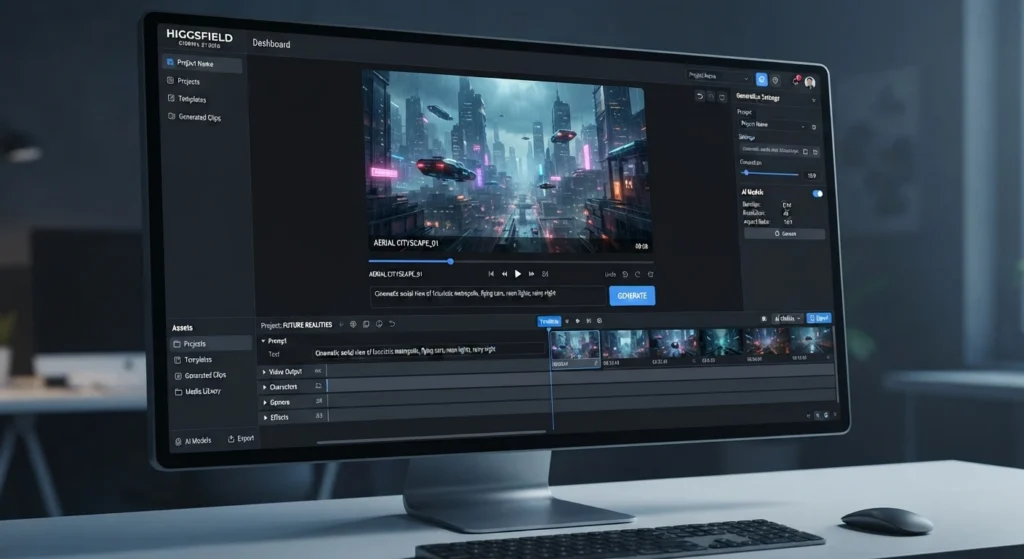
Higgsfield AI started out focused on short, social-ready video clips, but it has grown into a much broader creative suite. One account now covers text-to-image, image-to-video, video editing, lip sync, upscaling, virtual production, and advertising-style content generation.
What makes it different from a typical “type a prompt, get a video” tool is the amount of control it hands you before you ever hit generate. Instead of relying purely on a text prompt, Higgsfield gives you camera-level tools — lens choice, camera movement, first-and-last-frame references, motion references — so you’re directing a shot rather than gambling on one.
Under the hood, it mixes two things:
- Its own in-house models and tools — Soul 2.0 and Soul Cinema for image generation, Higgsfield DOP, Keyframes, Cinema Studio, and Soul ID/Soul HEX for keeping characters and products visually consistent across generations.
- Third-party model access — current releases from providers like Google (Veo), OpenAI (Sora), ByteDance (Seedance), and Kuaishou (Kling), all inside the same interface.
You can work from the main web studio for fast generations, use Canvas (a node-based, collaborative workflow builder) for repeatable pipelines, or connect it to AI agents through its MCP/CLI layer if you’re building an automated content pipeline.
How Does Higgsfield’s Cinema Studio Work for Video Generation?
Cinema Studio is the part of Higgsfield that separates it from prompt-only video generators. Instead of describing a shot in a sentence and hoping the model interprets it correctly, you get actual filmmaking controls:
- Virtual lens and camera body selection
- Up to three combinable camera movements per shot
- First-frame and last-frame image references
- Motion-reference uploads to guide how the subject moves
- Grading and color-treatment options
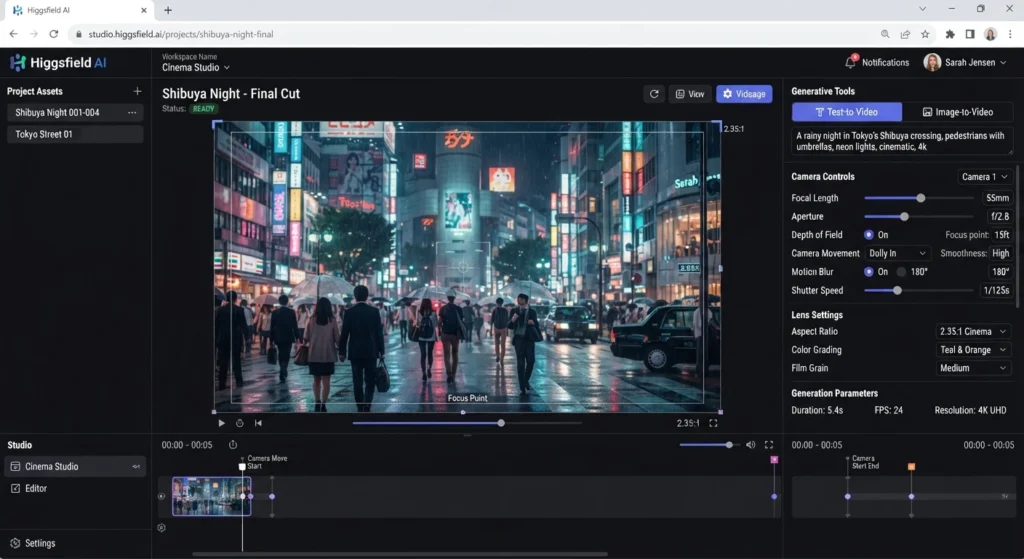
In practice, this is the feature that makes Higgsfield feel like a virtual production tool rather than a slot machine. If you need a product held a specific way, a character walking in a specific direction, or a consistent “look” across a batch of ad variations, Cinema Studio gives you the levers to get there — where a plain text-to-video tool would need a dozen re-rolls.
What AI Video Models Are Available on Higgsfield?
Higgsfield doesn’t rely on one proprietary model. It positions itself as an aggregator plus its own tooling layer, and the model catalog changes often. As of current listings, you can generate through:
- Higgsfield’s own models — Soul 2.0, Soul Cinema
- Google Veo (including Veo 3 / Veo 3.1 variants)
- OpenAI Sora (Sora 2)
- Kuaishou Kling (Kling 3.0 and earlier versions)
- ByteDance Seedance
- Additional models from Alibaba’s Wan family, GPT Image, and Nano Banana, depending on what’s live at the time
The tradeoff of this approach is that the “best” model for your task might rotate month to month — but you’re not locked into any single provider’s roadmap, which is genuinely useful if you’re producing content at volume and want to chase whichever model currently performs best for your niche.
How Much Does Higgsfield AI pricing ? (Plans, Credits, and Pricing Tiers)
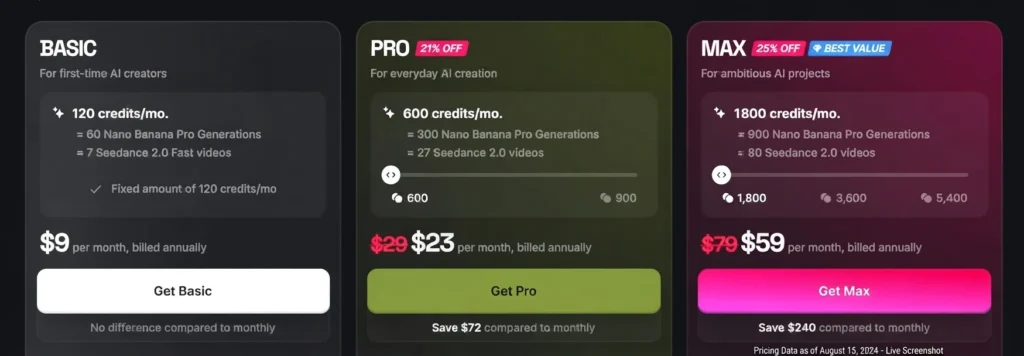
This is where most people get tripped up, so let’s be precise. Higgsfield’s official U.S. pricing (verified against the live pricing page) currently looks like this:
| Plan | Monthly Price | Annual Price (per month) | Credits per Cycle | Best For |
|---|---|---|---|---|
| Free | $0 | — | Limited/one-time pools | Testing the interface only |
| Basic | $5/mo | ~$5/mo ($60/yr) | 70 credits | Light experimentation |
| Pro | $29/mo | ~$23/mo ($276/yr) | 600 credits | Regular creators |
| Max | From $79/mo | From ~$59/mo | 1,800–5,400 credits | High-volume production |
| Team / Scale | From $69/mo | — | 1,000–2,500 credits/seat | Agencies and small teams |
A few things to know before you pick a tier:
- Credits don’t roll over. Whatever you don’t use resets at renewal.
- Cost per video varies wildly by model. A quick Kling clip might cost a fraction of what a Sora 2 or Veo 3 generation costs — some premium models can eat 40–70 credits for a single video.
- 1080p can nearly double the credit cost compared to 720p, and 10-second clips can cost roughly double a 5-second one.
- “Unlimited” isn’t unconditional. Plus/Ultra-style unlimited access to select models is subject to fair-use throttling during high traffic, and it only applies on the web app — not to MCP, CLI, Canvas, or batch-exploration workflows.
- Add-on credit packs expire after 90 days, so don’t stockpile them “just in case.”
Bottom line: don’t shop by the sticker price on the plan card. Price out the specific model, resolution, and clip length you’ll actually use, then compare that to the credits a plan gives you.
Is Higgsfield AI Free to Use?
There’s a free plan, but treat it as a demo, not a workflow. It gives you limited access to select models and a one-time pool of free generations that doesn’t renew. It’s enough to judge whether the output quality and camera controls are worth paying for — it is not enough for any kind of consistent content calendar. If you’re testing before committing, that’s exactly what it’s there for; just don’t expect it to cover a real production month.
Can You Use Higgsfield AI for Commercial Projects?
Yes, with some homework required. Higgsfield’s plans are built with professional and business use in mind, and paid tiers unlock the credit volume and model access most commercial workflows need. That said, commercial clearance ultimately depends on:
- The source assets you upload
- The specific model you generate with (each third-party model carries its own usage terms)
- Higgsfield’s own plan terms
- Local laws around synthetic media, consent, and disclosure
If you’re generating content involving real people’s likenesses or voices, get consent first and check both Higgsfield’s terms and the underlying model’s policy before anything goes live in a paid ad or client deliverable. It’s also worth treating every output as a draft — check hands, faces, on-screen text, logos, and audio sync before you ship it.
How Does Higgsfield Compare to Other AI Video Generators Like Runway or Sora?
Short version: Higgsfield wins on control and breadth, Runway wins on polish, and Sora wins on raw realism.
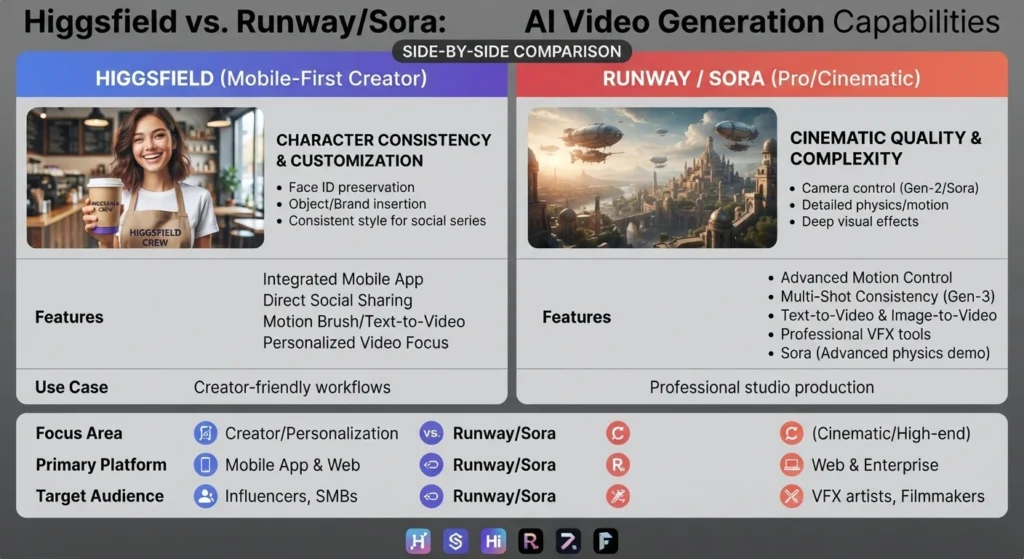
| Feature | Higgsfield AI | Runway | Sora (via OpenAI/Higgsfield) |
|---|---|---|---|
| Model approach | Aggregates multiple third-party models + own tools | Proprietary model family (Gen-4/Aleph) | Single proprietary model |
| Camera/cinematic controls | Strong — Cinema Studio, lens/motion tools | Moderate — in-video editing (Aleph) | Minimal — prompt-driven |
| Max resolution | Up to 1080p | Up to 4K | Varies by access point |
| Best known for | Product placement, human motion, ad workflows | Professional editing suite, broad visual range | Photorealism, cinematic realism |
| Pricing model | Credit-based, model-dependent cost | Credit-based, per-seat | Access-gated, often via aggregators like Higgsfield |
| Free tier | Limited, one-time pool | One-time trial credits | No standalone free access |
If your priority is a product appearing naturally in a scene — held correctly, positioned correctly — creators consistently point to Higgsfield as the stronger pick. If you want one platform for generation and a full editing suite at higher resolution, Runway still has the edge. And if raw believability is the only thing that matters, Sora remains the benchmark most others are compared against — which is part of why Higgsfield bundles access to it rather than trying to out-realism it.
Higgsfield AI: Pros and Cons
Pros
- One subscription covers a wide range of current image and video models
- Real cinematic controls (camera, lens, motion) instead of prompt-only generation
- Soul ID and Soul HEX help keep characters/products consistent across a campaign
- Canvas and MCP/CLI support let you build repeatable or automated pipelines
- Credit cost is shown before you generate, so no surprise charges mid-batch
Cons
- Credit accounting is genuinely complex — cost varies by model, resolution, duration, and surface
- Tops out at 1080p, so it’s not the pick for 4K deliverables
- Credits don’t roll over, and add-on packs expire in 90 days
- “Unlimited” plans are fair-use limited and can throttle during peak load
- The available model catalog can shift without much notice
FAQ
What is Higgsfield AI used for?
Generating and editing images and videos, directing cinematic shots with camera-level controls, keeping characters or products visually consistent, building ad creative, and connecting media generation into agent or automation workflows.
Does Higgsfield have its own AI models?
Yes — Soul 2.0, Soul Cinema, Higgsfield DOP, Keyframes, Soul ID, and Soul HEX are all in-house, alongside access to third-party models like Veo, Sora, Kling, and Seedance.
Do Higgsfield credits roll over?
No. Subscription credits reset at renewal instead of rolling over, and purchased or bonus credits expire after 90 days.
Is there a Higgsfield free trial?
Not a separate paid-plan trial — but the free tier and occasional one-time credit pools let you test the interface and a limited set of models before subscribing.
Can I use Higgsfield for commercial work?
Yes, but clearance depends on your source assets, the model you use, Higgsfield’s plan terms, and applicable law — especially around real people’s likeness or voice.
Should You Subscribe to Higgsfield AI?
If you’re a small business owner producing product videos, social ads, or short-form content and you’re tired of juggling separate subscriptions for every model, Higgsfield’s single-dashboard approach is genuinely appealing. Just budget your plan around the specific models and resolutions you’ll actually use — not the headline credit number — and start on Pro before you commit to an annual Max plan.
For more AI video tooling breakdowns, check out our guides on low-cost AI video editors for YouTubers, how to make AI videos with Leonardo AI, and the best AI thumbnail generators for YouTube. If you’re building out a full content pipeline, our breakdown of what Cursor is and how AI code editors work is a good companion read for the technical side of your stack.
ou page X : https://x.com/AIPRODUCTNEW/status/2099130205415587913?s=20
our page FACEBOOK :
https://web.facebook.com/share/r/1diFQZx32J/
Sources: Higgsfield AI official pricing · The Rundown AI — Higgsfield overview · Layer3Labs — Higgsfield vs Runway