
What Is Perplexity AI?
Perplexity AI definition
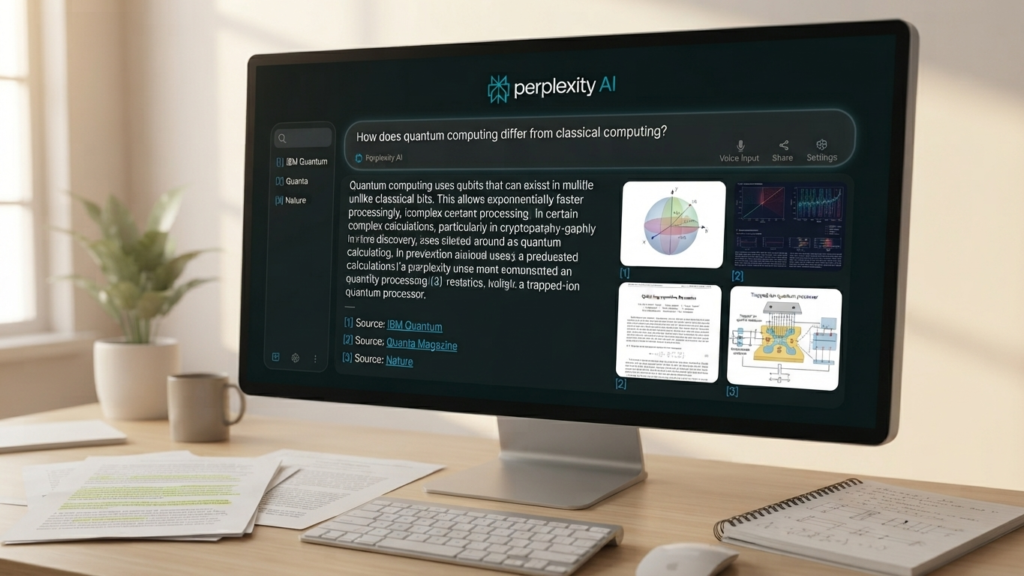
Perplexity AI is a conversational AI search and research tool built on large language models — if you’re new to the underlying technology, see what an AI model is. Instead of typing keywords into a search box, you ask a question in plain language, and Perplexity combines live web search with an AI-generated answer.
Table of Contents
The key difference from a chatbot alone is that Perplexity backs its answers with numbered citations. Perplexity’s own Help Center describes these citations as links to the original sources, so users can verify the information rather than take the answer on faith. In practice, this means every claim in a response can be traced back to a webpage, giving you a way to check accuracy before you rely on it.
Perplexity AI vs a traditional search engine
| Traditional search | Perplexity AI |
|---|---|
| Shows a list of links | Summarizes information into an answer |
| Requires users to open several pages | Helps synthesize information |
| Usually depends on keyword searches | Accepts conversational questions |
| Sources may require manual comparison | Provides inline citations |
A traditional search engine hands you ten blue links and leaves the synthesis to you. Perplexity does the first pass of synthesis, then shows its work so you can double-check it.
Who can use Perplexity AI?
- Students researching assignments
- Bloggers and content creators
- Researchers and analysts
- Business professionals
- Journalists
- Developers
- Travelers planning trips
- Anyone who wants a faster way to understand a topic
How Does Perplexity AI Work?
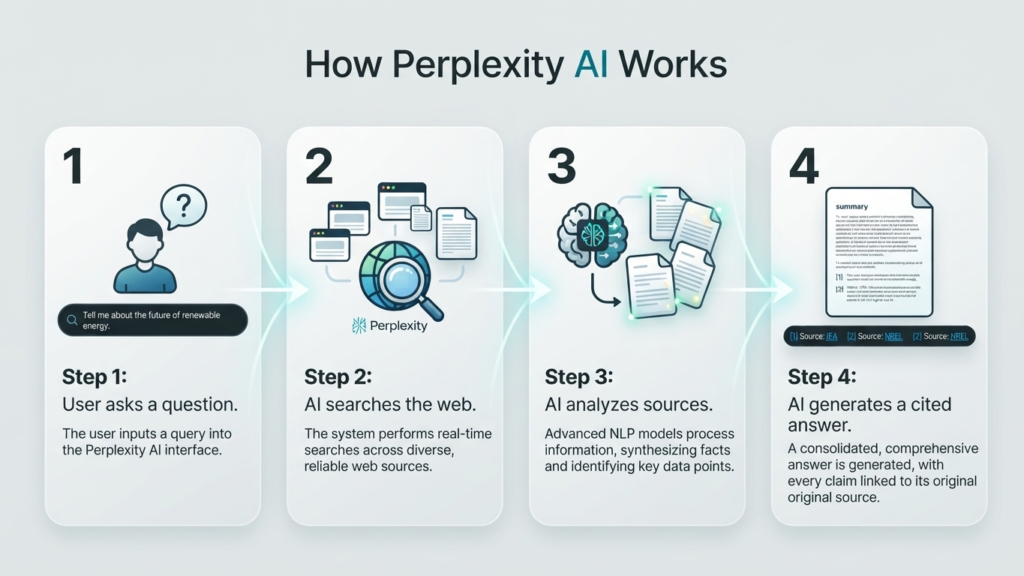
Step 1: You ask a question
You can ask a direct question or describe a research task. For example:
“What are the best places to visit in Casablanca in 2026?”
Step 2: Perplexity searches for information
Perplexity searches relevant online sources rather than relying solely on what it already “knows.” This is an important distinction: general AI knowledge can be outdated, but for current topics, Perplexity checks against sources it displays in real time — which is why reviewing those sources matters, especially for anything time-sensitive.
Step 3: The AI analyzes the sources
The system identifies relevant information, compares details across multiple pages, organizes the findings around your specific question, and presents the result in a conversational format rather than a raw list of excerpts.
Step 4: The answer includes citations
Each claim links back to the page it came from, so you can click through and inspect the original source. It’s worth remembering that a citation shows where a claim came from — it doesn’t automatically guarantee the claim is correct. Source quality still matters, so it pays to check who published the page and when.
Step 5: You ask follow-up questions
Perplexity is built for conversation, so you can narrow a broad topic step by step:
- “What are the main attractions in Casablanca?”
- “Which ones are suitable for a one-day trip?”
- “Create a practical itinerary starting from the city center.”
Each question builds on the last, turning a broad topic into a usable plan.
Main Perplexity AI Features in 2026

AI search with source citations
This is the core experience: ask a question, get an answer with citations attached. For anything important, it’s worth favoring official websites, academic publications, government pages, and established news organizations when you review the sources.
Pro Search
Pro Search is a more advanced research mode designed for questions that need deeper reasoning or broader source coverage than a quick search provides. It isn’t automatically more accurate — it’s built to dig further — so the sources still deserve a review.
Deep Research
Deep Research is designed for complex, multi-step questions. Perplexity describes this mode as producing in-depth reports that draw on more sources, include charts, and apply more advanced reasoning. Within Perplexity’s Computer environment, Deep Research can go further, generating reports, dashboards, and presentations with inline citations attached to individual factual claims.
Perplexity Computer
Computer is built for longer, multi-step tasks rather than single questions. Perplexity describes it as an autonomous agent capable of researching a topic, writing code, creating documents, and working with connected tools. Practical use cases include compiling a competitive analysis, drafting a report, or pulling data from linked services.
Because Computer can take multiple actions on your behalf, it’s worth reviewing anything it produces before you publish, send, or act on it.
Model Council
Model Council compares outputs from multiple AI models side by side. This is useful for difficult questions, topics with competing viewpoints, or simply as a quality check on a single model’s answer. Multiple models agreeing isn’t proof of truth — it’s a way to spot disagreement and dig further where models diverge.
Comet browser
Comet extends Perplexity’s AI assistance directly into your browsing session — summarizing pages, researching while you browse, and helping with online tasks as you work. Supported devices and plan availability for Comet can change, so it’s worth checking Perplexity’s site for the current details before you rely on it for a specific workflow.
File and content analysis
When available on your plan, you can upload documents, spreadsheets, or other files and ask Perplexity questions about them — summarizing a report, extracting key figures, or querying a dataset. Before uploading anything sensitive, it’s worth understanding how Perplexity handles file data and what its privacy controls actually cover.
How to Use Perplexity AI
Step 1: Open Perplexity
Visit the official Perplexity website or use the supported app, sign in if the feature you want requires an account, and check whether you’re on the free tier or a paid plan — that determines which modes and models are available to you.
Step 2: Write a specific prompt
Specific prompts produce more useful answers than vague ones.
Weak prompt:
“Tell me about Morocco.”
Better prompt:
“Write a beginner-friendly overview of Morocco’s tourism industry, using recent official and reputable sources. Include key destinations, travel seasons, and practical planning tips.”

Step 3: Choose the appropriate search mode
- Standard search for simple, quick questions
- A deeper research mode for complex or multi-part topics
- File analysis when the answer depends on a document you’ve uploaded
- Computer only when the task genuinely requires multiple actions or deliverables
Step 4: Review the answer and sources
Read the full response, open the most important citations, check publication dates, compare any conflicting claims across sources, and give more weight to primary and authoritative sources over aggregators or opinion pieces.
Step 5: Ask a follow-up question
Useful follow-ups include:
- “Summarize this in five bullet points.”
- “Show me the sources published by official organizations.”
- “What information here is uncertain?”
- “Compare these two viewpoints.”
- “Turn this research into a blog outline.”
Step 6: Export or adapt the result
Turn the research into notes, build an outline, draft a first version, then rewrite it in your own voice — adding original examples, expert input, images, and firsthand experience along the way.
How Bloggers Can Use Perplexity AI

Finding article ideas
Use it to identify the questions your readers are actually asking, spot content gaps in your niche, surface related subtopics, and generate headline variations to test.
Building an article outline
Ask Perplexity to organize a topic into an introduction, main sections, supporting examples, an FAQ block, and a practical conclusion — essentially a first-draft structure you can then refine.
Researching facts and sources
Search for recent statistics, locate official reports, find expert commentary, compare multiple sources on the same claim, and record the source URL for every fact that matters to your argument.
Improving readability
Perplexity can help simplify dense paragraphs, suggest shorter sentences, cut repetition, tighten transitions, and adjust tone for a beginner audience.
Maintaining originality and trust
A few non-negotiables for using AI research responsibly:
- Don’t publish AI-generated text without editing it
- Add first-hand experience and local knowledge the AI doesn’t have
- Attribute ideas and quotations correctly
- Fact-check every claim that matters to your reader
- Disclose AI assistance if your publication or client requires it
Perplexity AI Prompt Examples
Research prompt:
“Research the benefits and limitations of remote work using recent academic, government, and business sources. Separate verified findings from expert opinions and cite every important claim.”
Blog outline prompt:
“Create an SEO-friendly outline for an article about Perplexity AI for beginners. Include one H1, clear H2 and H3 headings, practical examples, internal-link suggestions, and an FAQ section.”
Fact-checking prompt:
“Review the following article and identify claims that require verification. For each claim, suggest an authoritative source and explain whether the evidence supports it.”
Local content prompt:
“Create a practical one-day itinerary for Casablanca using official tourism information and reputable local sources. Include transport, attractions, food, estimated timing, and safety considerations.”
Advantages and Limitations of Perplexity AI
Advantages
- Faster than manually opening many pages for an initial overview
- Well suited to conversational, iterative research
- Provides citations for source checking
- Helps explain difficult subjects clearly
- Supports natural follow-up questions
- Useful for brainstorming and outlining
- Can assist with more complex, multi-step research workflows
Limitations
- AI-generated answers can contain errors
- Sources may be outdated, incomplete, or low quality
- A citation doesn’t automatically prove a claim is correct
- Some advanced features require a paid plan
- Feature and model availability can change over time
- AI may oversimplify complex or controversial topics
- It shouldn’t replace qualified professional advice on medical, legal, or financial matters
How to verify an answer
- Open the cited sources
- Check who published the information
- Confirm the publication date
- Compare important facts across multiple reliable sources
- Look for the original study, report, law, or official announcement
- Remove any unsupported claims before you publish
Perplexity AI vs ChatGPT vs Google
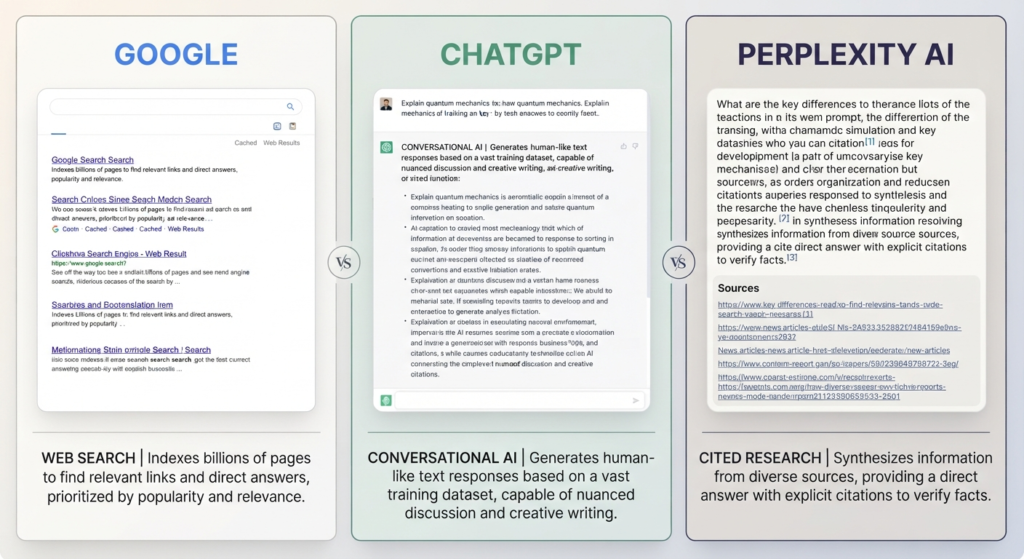
| Tool | Main strength | Best use |
|---|---|---|
| Perplexity AI | Search-based answers with citations | Research and source discovery |
| ChatGPT | Conversational assistance and content creation | Brainstorming, writing, coding, and analysis |
| Google Search | Broad discovery across websites, images, videos, and products | Finding specific pages and navigating the web |
Which tool should you choose?
Choose Perplexity AI when citations and web research are central to the task. Choose ChatGPT when you need extended writing, brainstorming, coding, or document work. Choose Google Search when you want to discover websites, products, images, videos, or official pages directly. For anything important, it’s often worth using more than one tool to cross-check the result.
Is Perplexity AI Free?
Free access
Perplexity offers free access to its core search experience. Usage limits, model access, and which features are included can change, so it’s worth checking the official pricing page before you quote exact numbers in your own content.
Paid plans
Paid plans generally unlock higher usage limits and access to more advanced models and research features. Avoid publishing a specific price unless you’ve verified it immediately beforehand — the right plan really depends on how often you research and how complex your tasks are.
What should users check before subscribing?
- Monthly price
- Search and research limits
- Available models
- File-upload limits
- Cancellation terms
- Privacy and data-handling policies
- Access to Computer, Deep Research, or other advanced tools
Best Practices for Using Perplexity AI
Write precise prompts. Include the topic, audience, location, date range, preferred sources, format, and desired level of detail.
Request reliable sources. Ask specifically for official sources, academic research, government websites, industry reports, reputable journalism, or direct links to original documents.
Separate research from writing. Collect and verify the facts first, build the outline second, then write and edit the article in your own voice.
Keep a human editor involved. Use your own judgment to evaluate accuracy, fairness, tone, originality, and usefulness — AI output is a draft, not a final product.
Protect private information. Don’t upload confidential business information, personal records, passwords, or sensitive client data unless you fully understand the relevant privacy controls.
Final Verdict: Is Perplexity AI Worth Using in 2026?
Perplexity AI is especially useful for research, source discovery, clear explanations, and content planning. It works best as an assistant rather than an unquestionable authority — the citations are a starting point for verification, not a substitute for it. The strongest workflow combines AI research with human expertise, original analysis, and fact-checking.
If you use Perplexity AI to investigate ideas, verify sources, and improve your workflow — not to replace your own judgment — it can become a valuable research assistant for work, study, and blogging.
Frequently Asked Questions About Perplexity AI
What is Perplexity AI?
Perplexity AI is a conversational search and research tool that uses artificial intelligence to answer questions and provide links to supporting sources.
How does Perplexity AI work?
It interprets your question, searches relevant information when needed, summarizes the findings, and presents citations you can check yourself.
Is Perplexity AI free?
Perplexity provides free access to its core search experience, while some advanced features, higher limits, or additional models may depend on your plan.
Is Perplexity AI better than Google?
They serve different purposes. Perplexity is useful for synthesized, conversational answers with citations, while Google is useful for discovering websites, products, images, videos, and specific pages.
Is Perplexity AI better than ChatGPT?
Neither is best for every task. Perplexity is particularly strong for web research and cited answers, while ChatGPT may suit extended conversation, writing, coding, and creative work better. For a different take on cited AI answers, see our Qwen AI review.
Can Perplexity AI write blog posts?
Yes — it can help with research, outlines, drafts, headlines, and editing. Bloggers should still fact-check the content, add original insight, and rewrite the draft in their own voice.
Can I trust Perplexity AI answers?
Treat its answers as a research starting point, not unquestionable fact. Open the citations, evaluate source quality, check dates, and verify important claims independently.
What is Perplexity Deep Research?
Deep Research is designed for more complex research tasks and can produce detailed reports using broader source analysis, more sources, charts, and advanced reasoning.
What is Perplexity Computer?
Perplexity Computer is designed for longer, multi-step tasks, including research, coding, document creation, and work with connected tools.
Is Perplexity AI suitable for SEO?
It can help with topic research, search-intent analysis, outlines, FAQs, and source discovery. It can’t guarantee rankings — successful SEO still requires original content, technical optimization, strong internal linking, and a good reader experience. As AI answer engines grow, it’s also worth understanding generative engine optimization, which focuses on getting cited inside AI-generated answers like Perplexity’s.
Recommended internal links
- Qwen AI Review: Access Qwen 3.6
- What Is an AI Model? Explained for Beginners
- Generative Engine Optimization