
Low-Cost AI Video Editors for YouTubers in 2026: Save Time, Boost Quality, and Grow Your Channel
For many YouTubers, editing is the largest time sink in the weekly workflow. The good news is that affordable, AI-powered video editors can take on repetitive tasks—transcribing, captioning, rough cutting, color tweaks, and even improving audio—so creators can focus on ideas, storytelling, and audience engagement. In 2026, a growing list of low-cost options offers powerful features without the high price tag of enterprise-grade software. This guide breaks down what to look for, highlights practical choices, and explains how to plug AI editing into a YouTube workflow that stays efficient and scalable.
Table of Contents
What makes a video editor “low-cost” in 2026?
Price alone doesn’t determine value. A truly low-cost AI video editor for YouTubers combines an affordable or free tier with AI features that genuinely save time. Look for:
- Free or generous trial tiers that let you test core AI features before committing.
- Reasonable monthly or yearly plans that fit creator budgets, with clear limits on exports, cloud storage, or features.
- AI-assisted capabilities that replace or accelerate common tasks—automatic transcription and captions, smart editing suggestions, auto color correction, background noise reduction, and templates tailored for YouTube formats.
- Web-based accessibility so you can edit from any device without heavy hardware purchases.
- Collaboration and templates that help teams or multiple channels stay on brand with minimal setup.
Prices and plans evolve, so it’s wise to check current offerings. The editors listed here typically provide a free tier or trial and affordable paid options that are practical for individual creators or small teams.
Must-have AI features for YouTubers
While every creator’s needs differ, some AI features consistently deliver value on YouTube. When evaluating editors, prioritize these capabilities:
- Automatic transcription and captions with time-coded accuracy and the ability to export SRT or VTT files for YouTube.
- Auto-generated subtitles in multiple languages to broaden reach and accessibility.
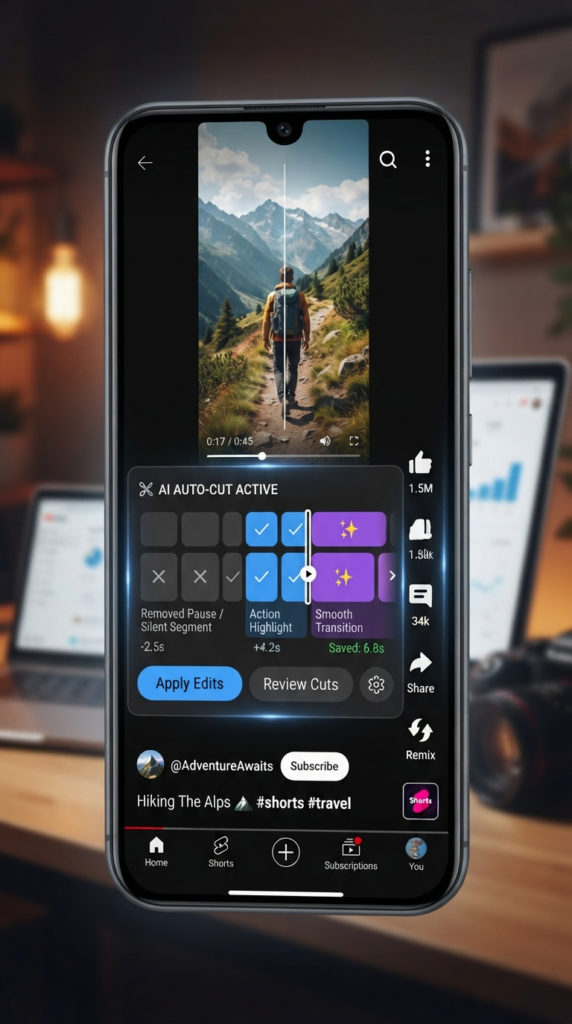
- Smart editing and auto-cut that remove dead space, awkward pauses, or long filler segments based on vocal cues or pacing.
- Background noise reduction and audio enhancement to improve clarity without specialized audio work.
- Color correction and LUTs for consistent branding and cinematic looks with minimal manual tweaking.
- Templates and motion graphics tailored to YouTube intros, lower-thirds, and end screens to speed up branding.
- Chroma key and background tools for green screen workflows, including edge refinement and spill suppression.
- Text-to-video or AI-assisted scene planning to storyboard quick ideas or convert scripts into rough cuts.
- Export presets for YouTube with recommended resolutions, frame rates, and aspect ratios (16:9 for standard, 1:1 or 9:16 for Shorts).
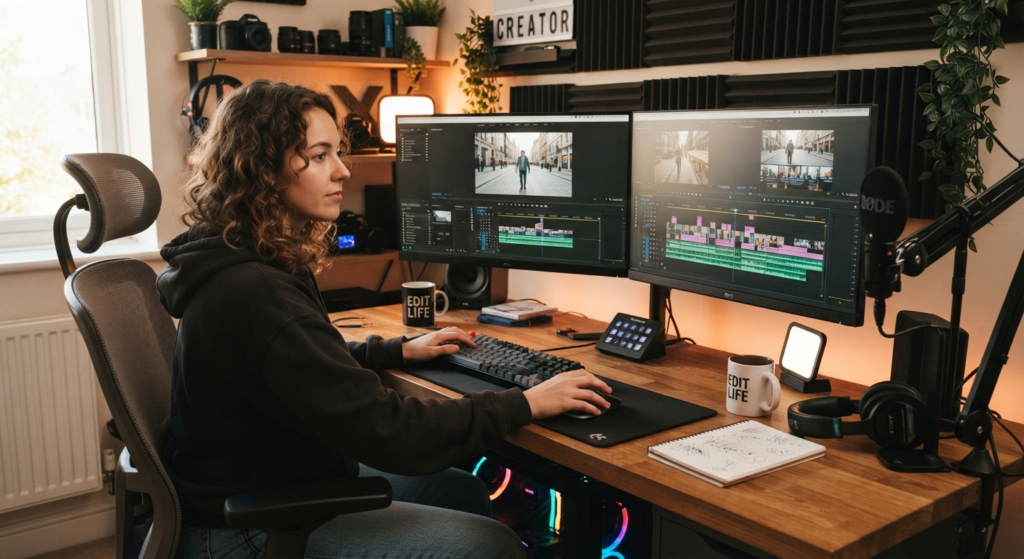
Top affordable AI video editors for YouTube in 2026 Low-Cost
Below are widely used options that balance capability with cost. For each, you’ll find a quick snapshot of ideal use cases, what makes it stand out, and the typical price approach. Prices can vary by region and over time, so verify current plans on the provider’s site before committing.
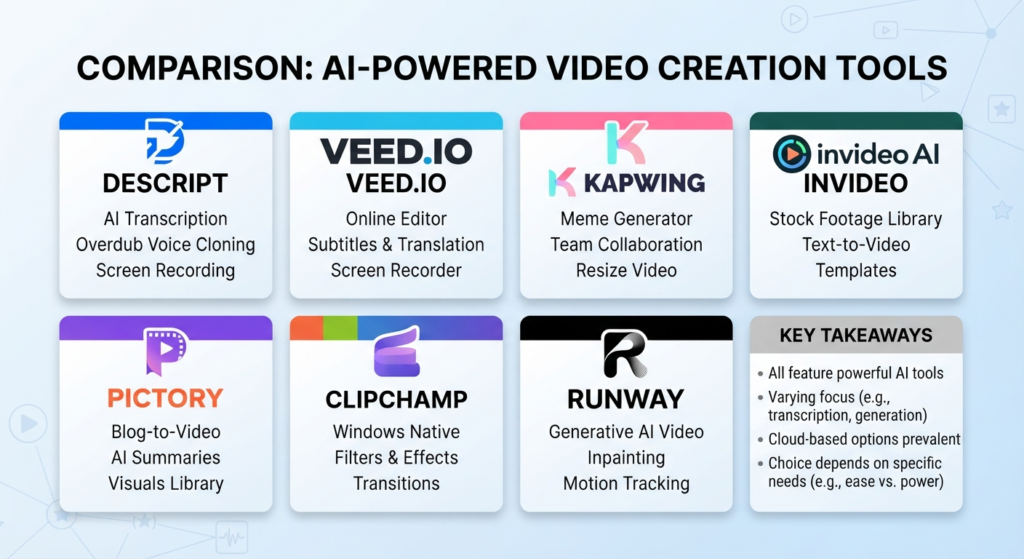
Descript
Descript is often favored by creators who produce a mix of video, podcast, and screen-capture content. It blends powerful transcription with text-based editing, which can dramatically streamline the rough cut process. The editor also includes AI-assisted features like overdub (voice cloning for approved voices) and editing by text, which can be a time-saver for long-form content and interviews.
Best for: creators who want a seamless workflow from script to screen, with strong transcription and collaborative editing capabilities. The AI features streamline the editing process, especially for content heavy on dialogue or narration.
Cost approach: Descript commonly offers a free tier with basic editing features and paid plans that are typically marketed as affordable for indie creators. The paid options generally scale with additional hours of transcription, more exports, and access to advanced AI tools. Always check current pricing and note that some AI capabilities may be tier-limited.
Veed.io
Veed is a straightforward, web-based editor designed for quick social video production. Its AI suite covers automated captions, translations, background removal, and a library of templates for YouTube-style intros and lower-thirds. The platform emphasizes ease of use and rapid production cycles, with a strong focus on export-ready results for YouTube and social media.
Best for: creators who value speed and simplicity, with a need for reliable captioning and branding templates without a steep learning curve.
Cost approach: Veed typically offers a free tier with watermarking and limited exports, plus affordable monthly plans that unlock captions, translations, and more templates. It’s common for creators to use the free tier for light editing and upgrade when they need more capacity or higher-quality exports.
Kapwing
Kapwing positions itself as a collaborative, all-in-one editor with a strong emphasis on social video formats. Its AI features include automatic captions, smart cut suggestions, background removal, and a growing suite of templates for YouTube thumbnails, intros, and transitions. Kapwing also supports multi-user collaboration, which can be helpful for teams or VAs handling edits.
Best for: teams or solo creators who prefer an online, collaborative workflow and want an editor that scales from simple edits to more polished, branded videos.
Cost approach: Kapwing offers a free tier and paid plans that expand export quality and AI features. Pricing is generally positioned as accessible for independent creators and small studios.
InVideo
InVideo is known for its emphasis on marketing-friendly video templates and rapid production for promo-style content. It combines a library of templates with AI-assisted text-to-video capabilities and automated editing options. While it’s not the most feature-dense editor for full cinema-level editing, its templates and speed make it a strong option for YouTubers focused on quick, consistent branding and thumbnail-ready content.
Best for: YouTubers who publish frequent short-to-mid-length videos, intros/outros, and marketing-style content such as product reviews, tutorials, and list videos.
Cost approach: InVideo generally offers a free or trial tier and affordable paid plans. The value comes from templates and fast turnaround, which can be beneficial for channels with a steady posting cadence.
Pictory
Pictory specializes in turning long-form content into short video clips and social-ready summaries. Its AI features focus on extracting meaningful highlights, adding captions, and generating story-driven edits from transcripts. It’s particularly helpful for repurposing webinars, livestreams, or long tutorials into shorter clips for engagement and cross-promotion.
Best for: creators who want to extract value from existing videos—episodes, streams, or tutorials—by creating multiple short clips optimized for YouTube Shorts and micro-videos.
Cost approach: Pictory typically offers a free trial or a low-cost plan with limits on video length or output quality. Upgrades unlock longer exports and more AI-driven editing options.
Clipchamp
Clipchamp, now integrated with broader Microsoft offerings, remains a practical, budget-friendly option for basic to mid-range editing. It provides essential AI-assisted tools like captions and color correction, along with an approachable interface and straightforward export presets that align with YouTube formats. It’s particularly accessible on Windows devices, given its ecosystem alignment.
Best for: beginners or creators who want dependable core editing with sensible AI enhancements, without a steep learning curve.
Cost approach: Clipchamp’s pricing is designed to be approachable, with a free tier and inexpensive monthly options that unlock higher export quality, more stock assets, and additional AI tools.
Runway
Runway has gained traction among creators who push toward more cinematic or experimental editing. Its AI tools cover green screen work, color grading, object removal, and other advanced effects. While Runway can be exceptionally powerful, some of its top AI capabilities are bundled into paid plans, so it’s best for creators who want flexible, creative AI tools without committing to a high upfront cost.
Best for: YouTubers who experiment with visuals, want strong AI-assisted effects, and are comfortable balancing creative power with cost transparency.
Cost approach: Runway offers a tiered approach, including free access to certain features and paid tiers that unlock the most advanced AI tools. It’s wise to pilot a few features before deciding on the most cost-effective plan for your channel.
How to choose the right Low-Cost editor for your channel
With a handful of capable options, the best choice depends on your content style, team size, and production cadence. Consider these practical questions as you compare tools:
- What is your primary use case? If you rely heavily on talking-head videos with scripts, a strong transcription/edit-by-text workflow (like Descript) can save significant time. For fast, template-driven social clips, Kapwing or InVideo may be ideal.
- How important are captions and translations? If accessibility and global reach matter, ensure the editor’s AI subtitle workflow is accurate, supports multiple languages, and exports clean SRT/VTT files.
- Do you collaborate with others or hire editors? Platforms that support multi-user collaboration and shared templates help maintain brand consistency across videos.
- What is your export pipeline for YouTube? Look for native YouTube presets, color management options, and reliable exports in 1080p or 4K with reasonable render times.
- How much room do you have for experimentation? Tools with AI-powered color grading, background removal, or noise reduction can unlock creative possibilities, but ensure you’re not paying for features you won’t use.
- What level of support and training do you need? Some editors offer extensive onboarding, templates, and customer support that can shorten the learning curve.
Practical workflow tips for YouTubers using AI editors
Integrating AI editors into your routine can streamline production without sacrificing quality. Here is a pragmatic workflow you can adapt:
: Draft a loose script or outline. If you use transcription-based editing, a clean transcript helps AI cut the video more accurately. : Shoot B-roll and cutaways that complement your script. Ensure good lighting and sound to maximize AI editing quality later. : Upload the footage to your editor and generate automatic captions. Review and correct errors, then export SRT/VTT for YouTube or translations for other markets. : Use AI-based auto-cut or smart edit to remove long pauses and filler words. Fine-tune the sequence manually to preserve storytelling rhythm. : Apply noise reduction and volume leveling. A quick pass with intelligible audio often eliminates a lot of post-work later. : Apply intro/outro templates, lower-thirds, and end screens. This creates a cohesive channel identity and speeds up future edits. : Run a quick color pass to ensure consistency across episodes. Use LUTs or auto color correction if available. : Use AI-assisted thumbnail ideas or auto-generated clips for YouTube Shorts and teaser clips to promote the main video. : Do a final pass to check pacing, captions, and branding. Export in YouTube-ready formats and resolutions, then publish with optimized titles and descriptions.
Tips to optimize AI editing for YouTube SEO and audience engagement
AI editing is a powerful ally for content optimization, but it works best when you couple it with solid on-page SEO and audience-first storytelling. Consider these tips:
- Captions as discoverability boosters: Accurate captions improve accessibility and can enhance watch time, especially when viewers skim content. Review for errors and adjust punctuation for readability.
- Timely hooks and pacing: Use AI insights to identify seconds where engagement drops and trim accordingly. A strong opening within the first 5–15 seconds can improve retention.
- Thumbnails aligned with content: If your editor offers thumbnail generation or templates, tailor the thumbnail to reflect the video’s core value and keywords without being clickbaity.
- Repurpose with AI: Long-form videos can be cut into shorts or teaser clips. AI tools that summarize or extract highlights help you create multiple assets from one recording.
- Consistency over time: Maintain a predictable editing rhythm and branding so viewers recognize your videos instantly, which can help retention and loyalty.
Common pitfalls and how to avoid them
AI editors are powerful, but they aren’t perfect. Avoid over-relying on automation for everything and watch for these common issues:
- Over-automation fatigue: Too much AI can produce a generic feel. Keep human touches—story beats, humor, and authentic pacing—intact.
- Caption quality pitfalls: Auto-generated captions can misinterpret names, jargon, or brand terms. Always review and correct, especially for captions in multiple languages.
- Brand drift: Frequent template changes can dilute your brand. Maintain a baseline of fonts, colors, and outro elements across videos.
- Export quality vs. speed: Rushing exports can compromise visual fidelity. Balance render speed with the need for crisp color and audio.
- Reliance on a single tool: Diversify your AI toolkit to avoid bottlenecks if one platform experiences downtime or pricing changes.
Conclusion
In 2026, low-cost AI video editors offer powerful capabilities that can dramatically reduce edit time and elevate production quality for YouTubers. The keys to maximizing value are choosing a tool that aligns with your content style and workflow, focusing on AI features that genuinely speed up the process (like transcription, captioning, and smart edits), and maintaining a consistent brand voice. Whether you’re a solo creator or part of a small team, there’s a budget-friendly option that can fit into your routine without sacrificing the integrity of your storytelling. Start with a free tier or trial, test the AI features you’ll use most, and gradually scale your editing setup as your channel grows.
Frequently Asked Questions
What is a low-cost AI video editor?
A low-cost AI video editor is a video editing tool that offers artificial intelligence features (such as automatic captions, smart edits, and automated color adjustments) at affordable price points, often with free tiers or trial periods. The goal is to provide time-saving capabilities without requiring a large upfront investment.
Which editor is best for YouTubers who focus on long-form content?
Editors with strong transcription, captions, and text-based editing can be particularly valuable for long-form content. Descript is commonly a strong choice for this use case because it combines transcription with editing by text, making it easier to refine long episodes or interviews.
Can I rely on AI editing for high production value?
AI editing can significantly improve efficiency and consistency, especially for routine tasks like captions, color correction, and template-based branding. For high production value, combine AI-assisted workflows with manual polish in key areas such as storytelling, pacing, and sound design.
Do these tools work well on a laptop or desktop without powerful hardware?
Many of these editors are cloud-based or web-based, which reduces the demand on local hardware. A modern laptop with a stable internet connection is generally sufficient for most web-based editors, though some high-end effects may run faster on more capable machines.
Should I choose one editor or multiple tools?
Starting with a single, well-suited editor can simplify your workflow. As you grow, you may benefit from adding a second tool for specific tasks (for example, using a dedicated tool for advanced color grading or motion graphics). Diversification can help, but avoid overcomplicating your pipeline early on.
How important is accuracy in captions and translations?
Accuracy matters a lot for accessibility, searchability, and audience trust. Even with AI-powered captions, you should review and correct errors, especially for channel branding, names, and niche terminology. Consider human review if your content targets non-native languages or technical subjects.
Are there free options that are truly sufficient for a growing channel?
Free tiers and trials can be enough to start, learn the platform, and publish occasional videos. If you post regularly, upgrading to a paid plan is often worth it to unlock higher export quality, more AI features, and longer projects. Always test before committing.
FOR YOUTUBERS LOOKING TO GO DEEPER, CHECK OUT OFFICIAL RESOURCES LIKE DESCRIPT’S OVERDUB GUIDE, VEED’S AI CAPTION GENERATOR, AND RUNWAY’S GEN-2 TOOLS TO SEE HOW EACH PLATFORM HANDLES AI-POWERED EDITING FIRSTHAND. IF YOU’RE SPECIFICALLY HUNTING FOR FREE OPTIONS WITHOUT A WATERMARK, WE’VE ALREADY BROKEN DOWN THE BEST PICKS IN OUR GUIDE TO FREE AI VIDEO EDITING TOOLS 2026 (NO WATERMARK), WHICH PAIRS WELL WITH THIS LIST FOR CREATORS COMPARING BUDGET VS. FREE TIERS.