

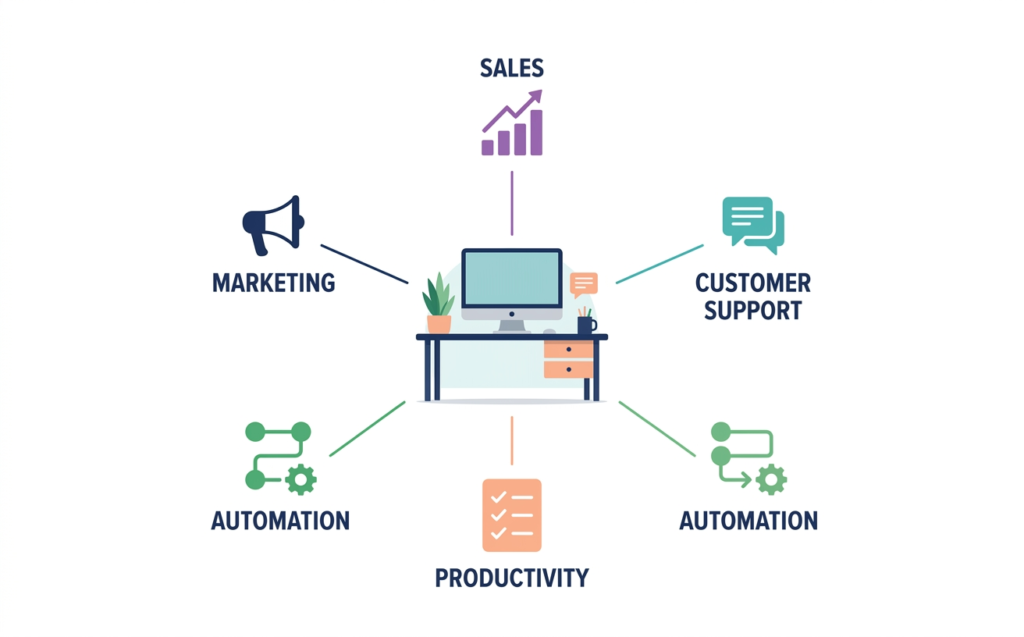
The best AI tools for small business in 2026 are the ones that save you hours every week without forcing you to hire a developer, learn a new discipline, or blow your budget. This guide covers 15 of them, grouped by the job they do: content and research, marketing, sales, customer support, meetings, and automation.
You do not need all 15. Most small businesses get real results from three or four tools used consistently. The goal of this article is to help you pick those few quickly, with honest strengths, honest limits, and a clear idea of who each tool fits.
Table of Contents
Key Takeaways
- Start with one general AI assistant. ChatGPT or Claude can cover writing, brainstorming, analysis, and basic customer replies for most teams.
- Pick tools by the job, not the hype. Marketing, sales, support, and meetings each have specialist tools that beat a general chatbot at their one task.
- Automation multiplies everything. Tools like Zapier and Make connect your apps so AI output goes straight into your workflow instead of sitting in a chat window.
- Always check pricing on the vendor site. AI plans, limits, and free tiers change often, so confirm current pricing before you commit.
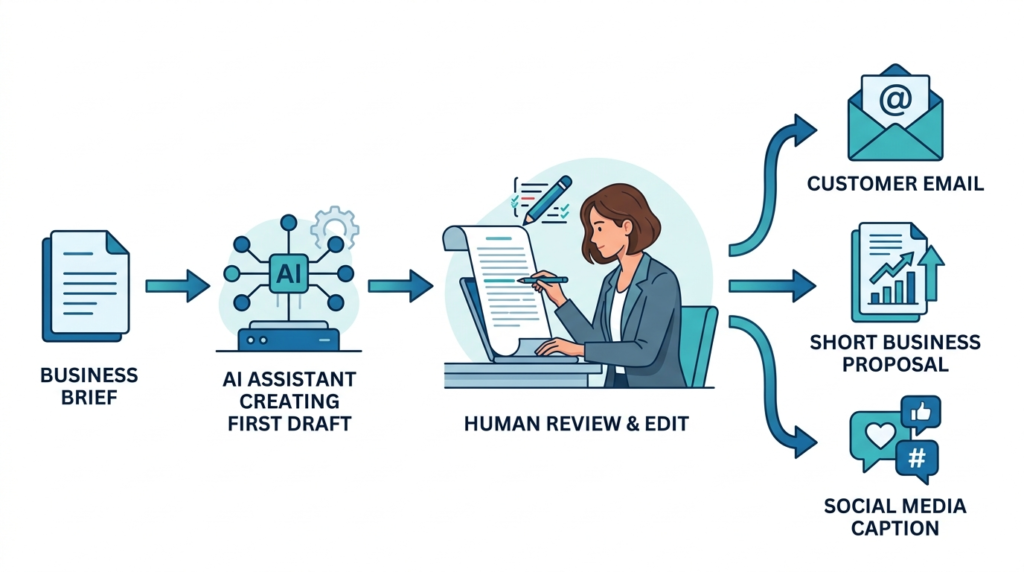
- Keep a human in the loop. AI drafts quickly, but you are still responsible for accuracy, tone, and customer trust.
Quick Comparison Table
| # | Tool | Best for | Category | Free plan or trial |
|---|---|---|---|---|
| 1 | ChatGPT | All-purpose writing and analysis | General assistant | Yes |
| 2 | Claude | Long documents and careful writing | General assistant | Yes |
| 3 | Perplexity | Fast, sourced research | Research | Yes |
| 4 | Canva (Magic Studio) | Social graphics and branded design | Design | Yes |
| 5 | CapCut | Short-form video editing | Video | Yes |
| 6 | Semrush | SEO and competitor research | Marketing | Trial |
| 7 | HubSpot (Breeze AI) | CRM, email, and sales workflows | Sales / CRM | Yes |
| 8 | Apollo.io | Prospecting and outreach | Sales | Yes |
| 9 | Intercom (Fin) | AI customer support agent | Support | Trial |
| 10 | Tidio | Website chat for small shops | Support | Yes |
| 11 | Otter.ai | Meeting transcripts and summaries | Meetings | Yes |
| 12 | Fireflies.ai | Meeting notes synced to your CRM | Meetings | Yes |
| 13 | Notion AI | Docs, wikis, and team knowledge | Productivity | Trial |
| 14 | Zapier | No-code automation across apps | Automation | Yes |
| 15 | Make | Visual, multi-step automation | Automation | Yes |
Free plans and trials change frequently. Verify current offers on each vendor’s website.
How We Evaluated These AI Tools
Rankings mean little without criteria, so here is what we looked at for every tool on this list:
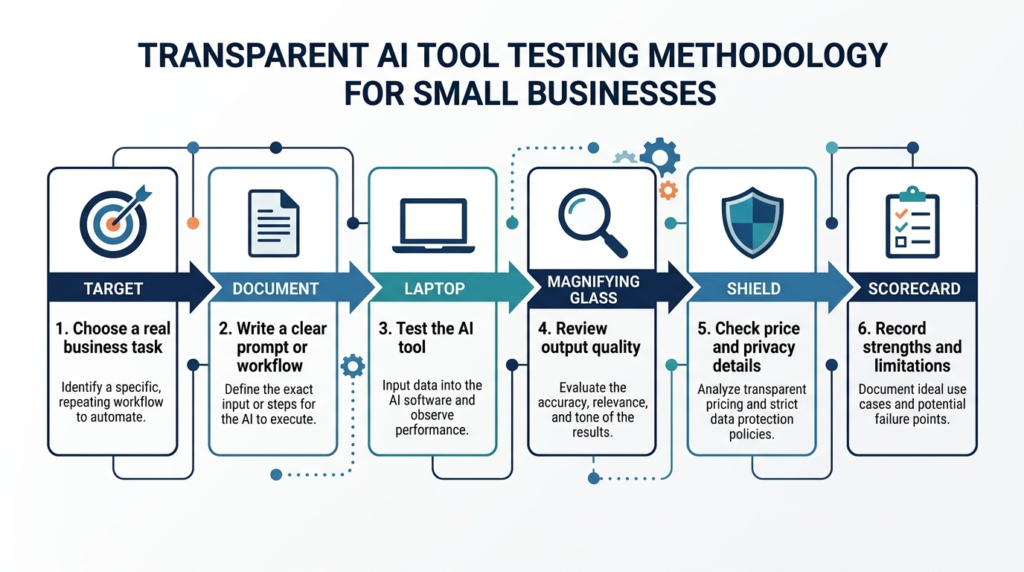
- Usefulness for a small team. Does it solve a real, recurring problem for a business with 1 to 50 people?
- Ease of setup. Can a non-technical owner be productive in an afternoon?
- Output quality. Is the result good enough to use with light editing?
- Value for money. Is there a free tier or an entry plan that makes sense for a small budget?
- Integrations. Does it connect to the tools you already use, such as email, your CRM, Slack, or Google Workspace?
- Reliability and data handling. Does the vendor publish clear privacy and security information?
We kept pricing out of the article body on purpose. AI vendors change plans and usage limits constantly, and outdated prices hurt readers more than they help. Use the links below to check live pricing.
Editor’s note before publishing: Replace or extend this section with your own hands-on testing details (dates tested, tasks used, screenshots). Do not keep wording that claims independent testing unless you can back it up.
Part 1: General AI Assistants and Research
1. ChatGPT: Best All-Purpose AI Assistant
ChatGPT is still the default starting point for many small business owners, and for good reason. It handles drafting emails, rewriting website copy, summarizing documents, analyzing spreadsheets, brainstorming offers, and building simple customer FAQ answers.
Best for: Owners who want one flexible tool for many everyday tasks.
Strengths
- Handles a very wide range of tasks in one place
- Strong at drafting, rewriting, and brainstorming
- Large ecosystem of custom assistants, integrations, and tutorials
Limitations
- Can produce confident but wrong answers, so facts need checking
- Output quality depends heavily on how clearly you prompt it
Pro tip: Spend an hour learning basic prompting and your results improve immediately. Our guide to prompt engineering techniques and frameworks walks through the structures that work best, including role, context, task, and format.
2. Claude: Best for Long Documents and Careful Writing
Claude from Anthropic is a strong alternative for anyone who works with longer material. It is well regarded for thoughtful writing, summarizing contracts or reports, analyzing long documents, and following detailed instructions.
Best for: Content-heavy businesses, consultants, agencies, and anyone who needs polished, natural-sounding drafts.
Strengths
- Handles long documents and complex instructions well
- Writing tends to sound natural and less templated
- Good at analysis, editing, and structured outputs
Limitations
- Like every AI model, it can make mistakes and should be fact-checked
- Feature availability differs by plan and region
If you are still deciding between assistants, read our comparison of the best ChatGPT alternatives to see how the main options differ on writing quality, research, and price.
3. Perplexity: Best for Fast, Sourced Research
Perplexity works like a search engine that answers in plain language and shows its sources. For small businesses, that makes it excellent for competitor research, market sizing, quick fact checks, supplier comparisons, and trend scanning.
Best for: Research tasks where you want an answer and the links behind it.
Strengths
- Answers include citations you can click and verify
- Fast for competitor and market research
- Useful for preparing sales calls and content briefs
Limitations
- Sources vary in quality, so always open the important ones
- Less suited to long creative writing than a general assistant
Curious how it actually produces answers? We break it down in Perplexity AI explained: how it works.
Part 2: AI Tools for Marketing and Content
4. Canva (Magic Studio): Best for Branded Design Without a Designer
Canva pairs its familiar drag-and-drop editor with built-in AI features for generating images, resizing designs, writing copy, and editing photos. It is one of the easiest ways for a small team to produce consistent social posts, ads, flyers, presentations, and simple brand kits.
Best for: Social media managers, solo founders, and shops that need on-brand visuals fast.
Strengths
- Huge template library and a gentle learning curve
- AI tools sit inside the same editor you already use
- Brand kits keep colors, fonts, and logos consistent
Limitations
- Some AI and premium features require a paid plan
- Templates can make designs look similar to competitors’ unless you customize them
5. CapCut: Best for Short-Form Video
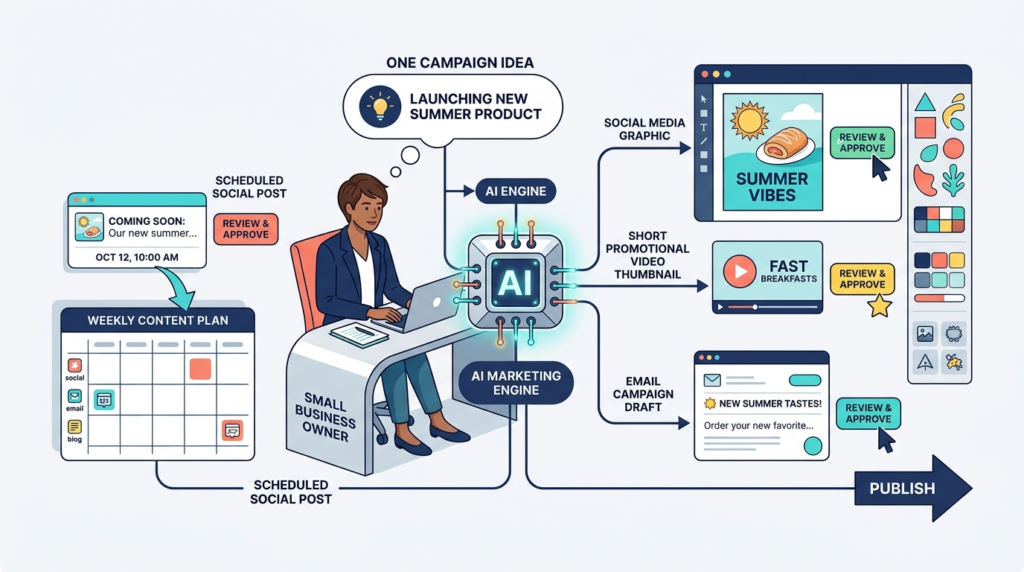
CapCut has become a go-to editor for Reels, TikTok, and YouTube Shorts. AI features such as auto captions, background removal, and quick edits help small teams publish more video with less effort.
Best for: Brands building a short-form video habit on a tight schedule.
Strengths
- Fast editing with templates and automatic captions
- Easy to learn on mobile or desktop
- Good fit for social-first businesses
Limitations
- Some effects and exports depend on your plan
- Check licensing terms for music and templates before using them commercially
6. Semrush: Best for SEO and Competitor Research
Semrush combines keyword research, site audits, competitor analysis, and AI-assisted content tools in one platform. If organic traffic is part of your growth plan, it helps you find what to write, what competitors rank for, and what is broken on your site.
Best for: Businesses investing in content marketing and search visibility.
Strengths
- Deep keyword and competitor data
- Site audit tools flag technical SEO issues
- AI features help with briefs, outlines, and optimization
Limitations
- Can feel overwhelming for beginners
- Costs more than lightweight SEO tools, so it suits businesses that will use it regularly
Part 3: AI Tools for Sales and CRM
7. HubSpot (Breeze AI): Best for an All-in-One CRM
HubSpot offers a CRM with AI features woven through email drafting, lead summaries, content creation, and customer service. Its free CRM tier makes it a common first CRM for small teams.
Best for: Small businesses that want marketing, sales, and service data in one place.
Strengths
- Free CRM tier to start
- AI helps draft emails, summarize contacts, and speed up routine tasks
- Scales from a solo founder to a growing team
Limitations
- Advanced features and higher contact limits cost significantly more
- Setup takes some planning to avoid a messy database
8. Apollo.io: Best for Prospecting and Outreach
Apollo.io gives you a large contact database, email sequences, and AI-assisted outreach in one platform. It is popular with B2B small businesses and agencies that need a steady stream of qualified leads.
Best for: B2B teams that rely on outbound prospecting.
Strengths
- Search and filter prospects by role, industry, and company size
- Built-in sequences and AI writing help
- Free plan available for testing
Limitations
- Contact data is never perfect, so verify before sending
- Follow email laws and consent rules in your market, including GDPR in Europe
Part 4: AI Tools for Customer Support
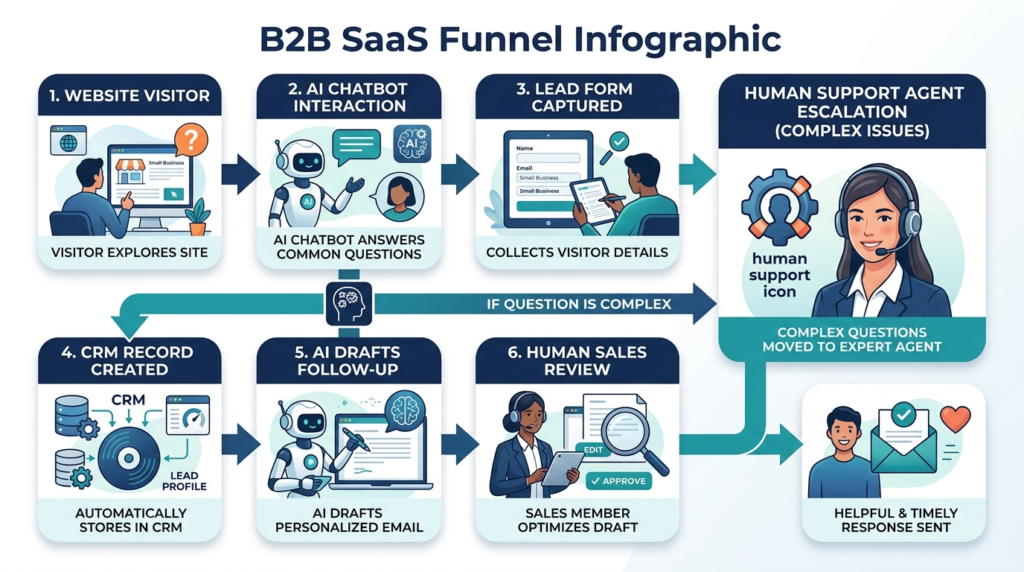
9. Intercom (Fin): Best AI Support Agent
Intercom offers Fin, an AI agent that answers customer questions using your help center and documentation, and hands off to a human when needed. It suits businesses with a steady volume of repetitive support questions.
Best for: SaaS companies and online businesses with a solid knowledge base.
Strengths
- Resolves common questions automatically using your own content
- Smooth handoff to human agents
- Strong reporting on what customers ask
Limitations
- Pricing can add up as volume grows
- Quality depends on how good and current your help content is
Support bots are a good example of what the industry calls AI agents: software that takes actions toward a goal rather than only answering prompts. If the term is new to you, start with our explainer on AI agents.
10. Tidio: Best Website Chat for Small Shops
Tidio combines live chat, chatbots, and AI replies in a package designed for small online stores and service businesses. It is simple to install and connects with popular store platforms.
Best for: E-commerce shops and local businesses that want 24/7 website chat on a small budget.
Strengths
- Quick setup and an approachable interface
- Free plan to test the basics
- Automations for common questions like shipping and returns
Limitations
- Less customizable than enterprise-grade support platforms
- AI usage limits depend on your plan
Part 5: AI Tools for Meetings and Notes
11. Otter.ai: Best for Simple Meeting Transcripts
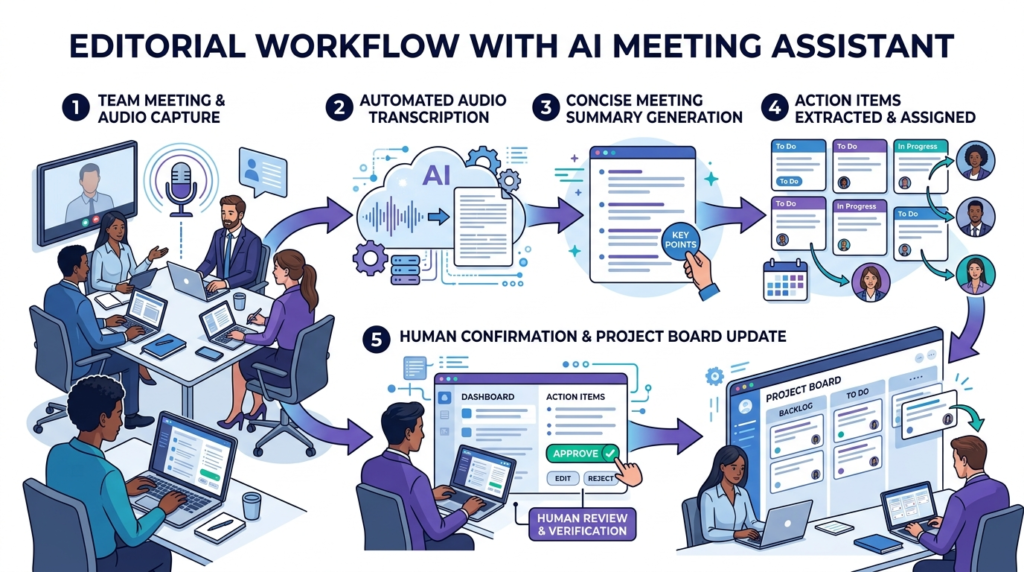
Otter.ai records and transcribes meetings, then produces summaries and action items. It is a low-friction way to stop taking notes by hand.
Best for: Solo founders, consultants, and small teams that hold frequent calls.
Strengths
- Accurate live transcription in many situations
- Searchable meeting history
- Simple summaries and action items
Limitations
- Free usage limits are modest
- Always tell participants you are recording, and follow local consent laws
12. Fireflies.ai: Best for Notes That Sync to Your CRM
Fireflies.ai joins your calls, records them, and pushes notes into tools like your CRM or project manager. It is particularly useful for sales teams that want call data captured without manual entry.
Best for: Sales and client-service teams that live in meetings.
Strengths
- Integrates with common CRMs and workspaces
- Searchable transcripts and topic tracking
- Helpful for coaching and follow-ups
Limitations
- Some advanced features require higher plans
- Review privacy settings for client calls
Part 6: AI Tools for Productivity and Automation
13. Notion AI: Best for Team Docs and Knowledge
Notion is a flexible workspace for notes, wikis, tasks, and projects, and its AI features help summarize pages, draft content, and answer questions across your workspace.
Best for: Small teams that want one home for processes, documents, and projects.
Strengths
- Flexible enough to replace several separate tools
- AI can search and summarize your own documents
- Good templates for onboarding, SOPs, and project tracking
Limitations
- Takes time to organize well
- AI features may require an add-on or higher plan
14. Zapier: Best No-Code Automation
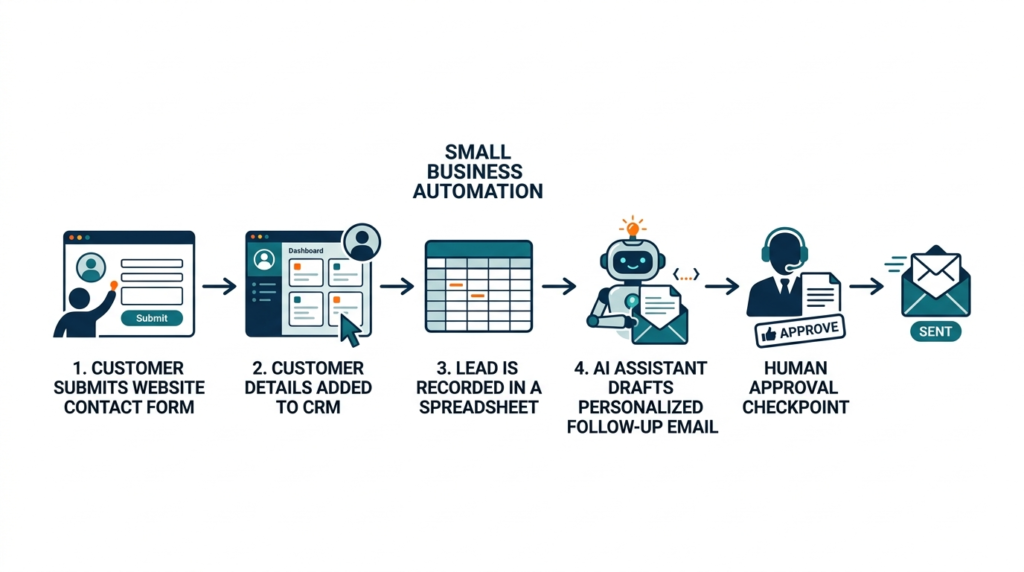
Zapier connects thousands of apps so that something happening in one tool triggers an action in another. With AI steps and agent features, you can classify emails, summarize form submissions, draft replies, and log everything to a spreadsheet or CRM, all without code.
Best for: Non-technical owners who want to automate repetitive work.
Strengths
- Very large app library and a beginner-friendly builder
- AI steps for classification, summarizing, and drafting
- Free plan to experiment with simple workflows
Limitations
- Costs rise as task volume grows
- Complex logic can get unwieldy
Automation is where AI starts acting more like a teammate than a tool. For a deeper look at how these systems work, see our guide to AI agents explained.
15. Make: Best Visual Automation for Complex Workflows
Make (formerly Integromat) offers a visual canvas for building multi-step automations. It is a favorite among users who want more control and often lower per-task costs than simpler tools.
Best for: Owners and ops managers comfortable with a slightly steeper learning curve.
Strengths
- Visual builder makes complex flows easier to understand
- Flexible data handling and branching logic
- Free plan available
Limitations
- Steeper learning curve than Zapier
- Troubleshooting takes patience
How to Choose the Right AI Tools for Your Business
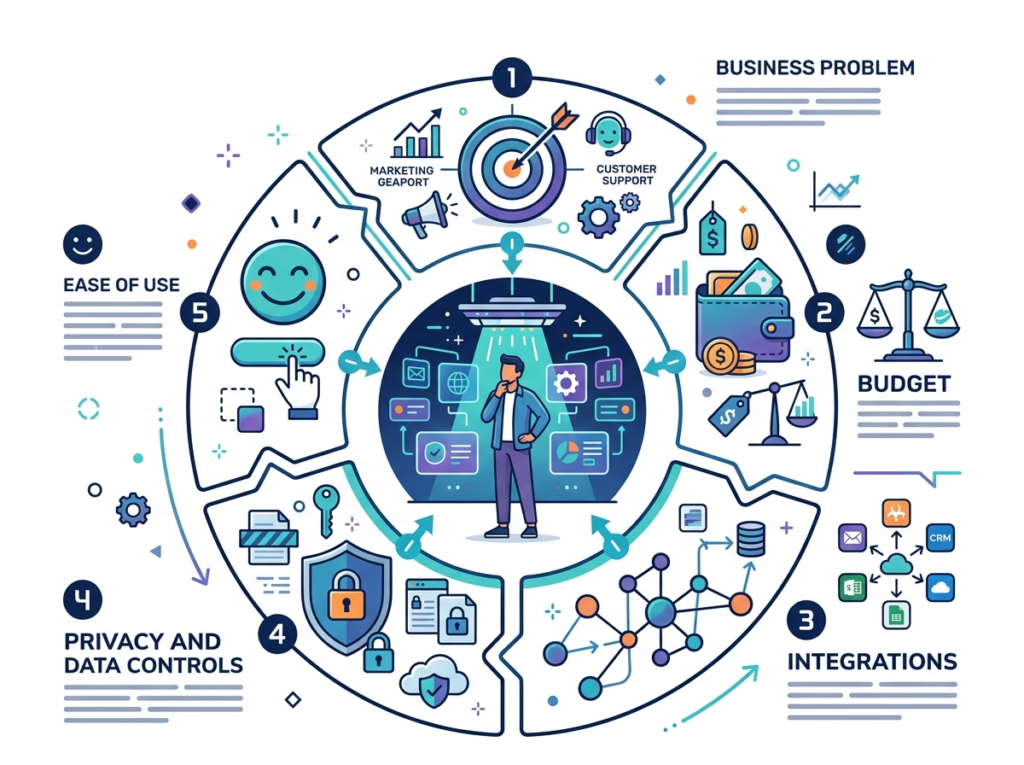
Buying every shiny tool is the fastest way to waste money. Use this simple process instead.
Step 1: List your three most time-consuming tasks. Examples: writing social posts, answering the same customer questions, and following up with leads.
Step 2: Match each task to one tool. Use the categories above. If you are not sure where to begin, start with a general assistant such as ChatGPT or Claude.
Step 3: Test with a real task for two weeks. Measure time saved, quality, and how often you had to fix the output.
Step 4: Check data and privacy. Do not paste confidential customer data, contracts, or financial records into any tool until you have read its data policy and, if needed, chosen a business plan with stronger protections.
Step 5: Automate only what already works. Once a manual process is reliable, connect it with Zapier or Make so it runs without you.
Suggested starter stacks
| Business type | Starter stack |
|---|---|
| Solo consultant or freelancer | ChatGPT or Claude, Otter.ai, Canva |
| Online store | ChatGPT, Canva, CapCut, Tidio, Zapier |
| B2B agency | Claude, Semrush, HubSpot, Apollo.io, Fireflies.ai, Make |
| Local service business | ChatGPT, Canva, Tidio, HubSpot, Zapier |
Common Mistakes to Avoid
- Publishing AI output without review. Errors, odd phrasing, and invented facts slip in. Edit everything.
- Skipping prompts and context. Vague instructions produce vague results. Give the tool your audience, tone, and goal.
- Ignoring legal basics. Disclose recordings, respect email consent rules, and review copyright and licensing terms for generated media.
- Over-automating customer contact. Make it easy for customers to reach a human.
- Paying for overlapping tools. Many platforms now include AI features. Check what you already have before adding another subscription.
Frequently Asked Questions
What are the best AI tools for small business in 2026?
The strongest all-round picks are ChatGPT or Claude for general work, Canva for design, HubSpot for CRM, Zapier or Make for automation, and a meeting tool like Otter.ai or Fireflies.ai. The right mix depends on your biggest bottlenecks.
Are there free AI tools for small businesses?
Yes. Most tools in this guide offer a free plan or trial, including ChatGPT, Claude, Perplexity, Canva, CapCut, HubSpot, Apollo.io, Tidio, Otter.ai, Fireflies.ai, Zapier, and Make. Free tiers usually come with usage limits, so check what is included.
Which AI tool is best for marketing?
Canva and CapCut are excellent for visual and video content, Semrush is strong for SEO, and ChatGPT or Claude are useful for copywriting and ideas. Many businesses combine two or three of these.
Which AI tool is best for sales?
HubSpot works well as an all-in-one CRM, Apollo.io is strong for prospecting, and Fireflies.ai helps capture call notes. Choose based on whether your bottleneck is finding leads, managing them, or following up.
Can AI replace my employees?
For most small businesses, AI works best as an assistant that removes repetitive tasks and speeds up drafts. People still handle judgment, relationships, quality control, and strategy.
Is it safe to put customer data into AI tools?
It depends on the tool and your plan. Read each vendor’s privacy and data-use policy, avoid sharing sensitive data unless you are sure how it is handled, and follow regulations that apply to you, such as GDPR if you serve customers in Europe.
How much do AI tools cost?
Costs range from free to hundreds of dollars per month, depending on features and usage. Prices change often, so confirm current pricing on each vendor’s site before you decide.
What is the easiest AI tool to start with?
A general assistant like ChatGPT or Claude. You can begin with a free plan and learn by using it on everyday tasks. If you want better results, learn a few prompt engineering techniques.
Final Verdict
If you only act on one thing from this guide, do this: pick a general assistant, pick one tool for your biggest bottleneck, and use both consistently for 30 days. Add automation with Zapier or Make once your process is stable.
The best AI stack for a small business is rarely the biggest. It is the one your team actually uses every week. Start small, measure the time you save, and expand from there.
Want more practical AI guidance for your business? Browse our latest Guides and Reviews for tool comparisons, tutorials, and automation ideas.