Introduction
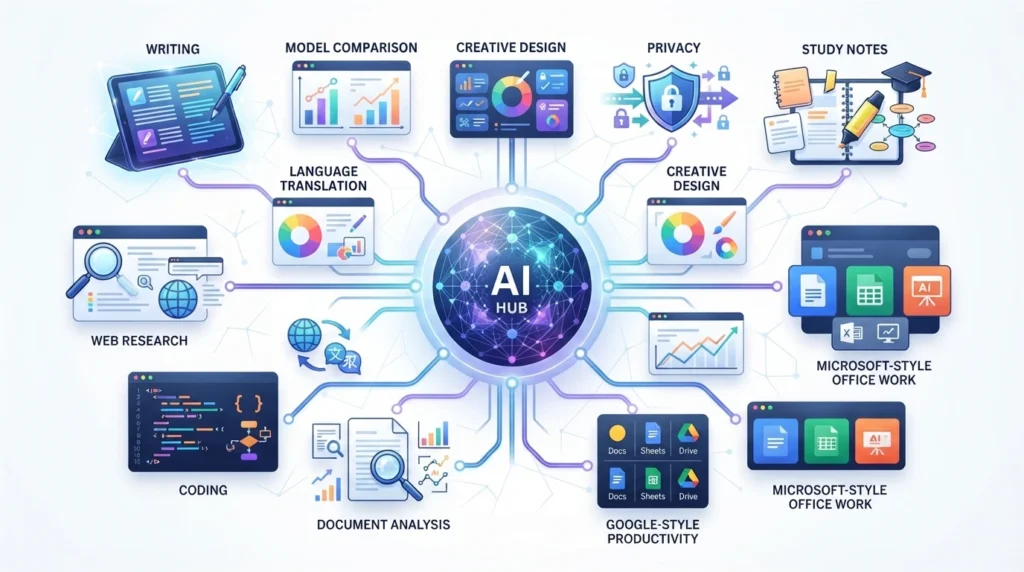
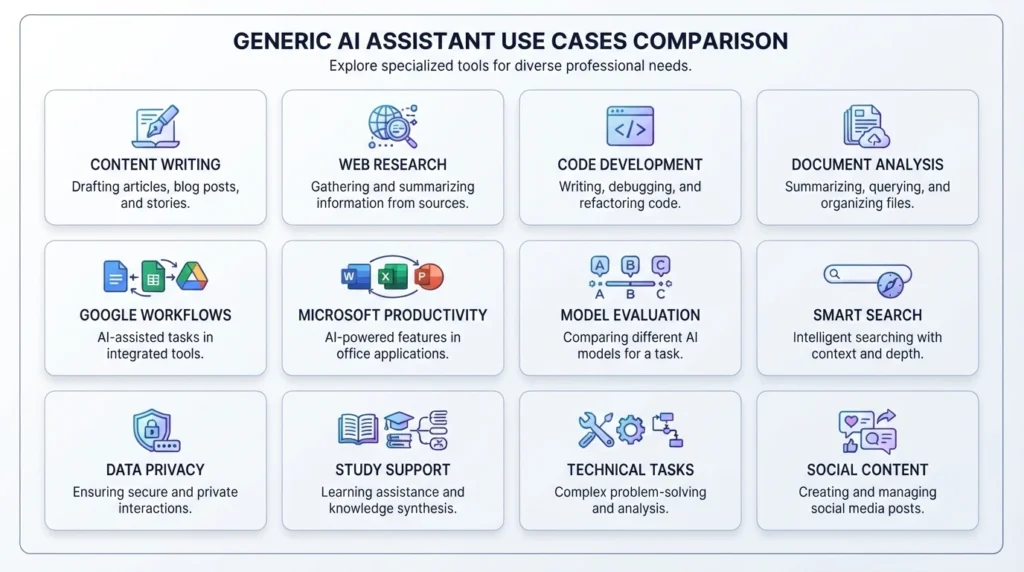
ChatGPT is one of the most recognizable AI assistants, but it is not automatically the best tool for every task. Some alternatives are better for writing, web research, coding, document analysis, Google Workspace, Microsoft 365, studying, or comparing several AI models in one place.
The right choice depends on what you need to do. Claude can be a strong option for long-form writing and analysis. Gemini is convenient for people who already work in Gmail, Docs, Sheets, and other Google services. Microsoft Copilot is designed around Microsoft 365 workflows, while Perplexity focuses on web research and cited answers. Specialized tools such as NotebookLM and GitHub Copilot are designed for specific jobs rather than general conversation.
This guide compares 12 ChatGPT alternatives by their main use case, strengths, limitations, free access, pricing considerations, and workflow fit. Instead of naming one universal winner, we explain which tool may be most useful for writing, research, coding, study, documents, productivity, privacy-oriented use, and everyday AI assistance.
Quick answer
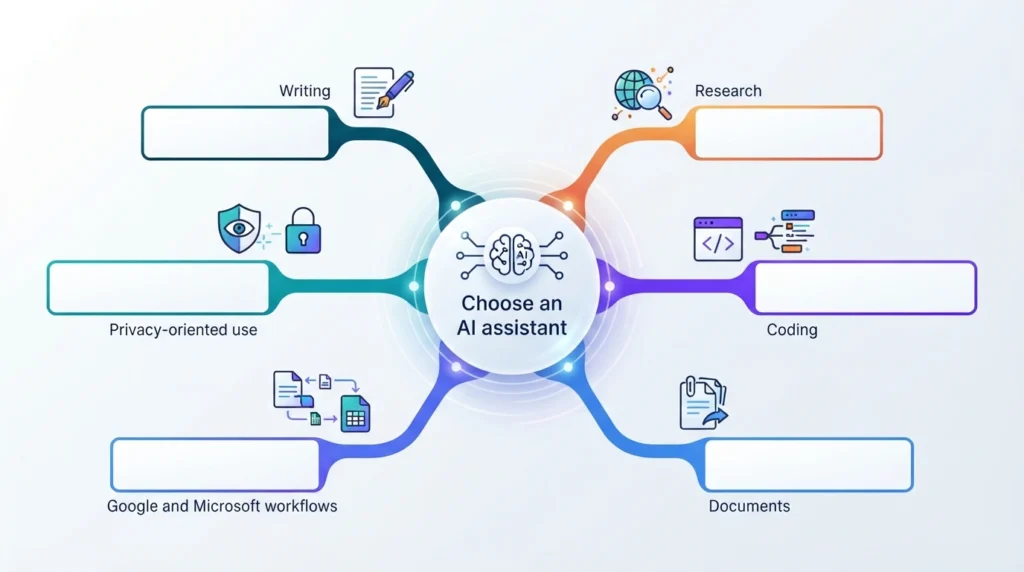
- Best for writing and long-form analysis: Claude.
- Best for web research: Perplexity.
- Best for Google users: Google Gemini.
- Best for Microsoft users: Microsoft Copilot.
- Best for uploaded documents: NotebookLM.
- Best for coding inside an editor: GitHub Copilot.
- Best for comparing several AI models: Poe.
- Best for lower-cost technical use: DeepSeek, after reviewing current pricing and data-handling terms.
- Best for no-account AI access: Duck.ai.
- Best overall: There is no universal winner. The right choice depends on your task, budget, preferred ecosystem, and privacy requirements.
Table of Contents
The best ChatGPT alternatives at a glance
| Tool | Best for | Main advantage | Free access | Important limitation |
|---|---|---|---|---|
| Claude | Writing, reasoning, and document work | Strong long-form output and structured analysis | Yes | Usage limits and feature availability vary by plan |
| Google Gemini | Google Workspace users | Integration with Google services | Yes | The most advanced features may require a paid plan |
| Microsoft Copilot | Microsoft 365 users | Native Microsoft workflow integration | Yes, depending on account | Business features may require a qualifying Microsoft 365 licence |
| Perplexity | Research and source checking | Search-focused answers with visible citations | Yes | Advanced searches and models may be limited |
| DeepSeek | Cost-conscious technical use | Free chat access and lower-cost API options | Yes | Data-handling and availability should be reviewed before business use |
| NotebookLM | Working with your own documents | Answers grounded in uploaded sources | Yes | It is not a complete general-purpose chatbot |
| GitHub Copilot | Coding inside an IDE | Deep developer-tool integration | Limited free access | Primarily designed for software development |
| Poe | Comparing AI models | Multiple models in one service | Limited free access | Usage depends on the chosen bot and plan |
| Mistral Le Chat | European-provider and open-weight options | Mistral ecosystem and model choices | Yes | Smaller ecosystem than the largest AI providers |
| You.com | Search and AI chat | Combines search-style results with AI assistance | Yes, subject to current plan | Current consumer plans should be verified |
| Duck.ai | No-account, privacy-oriented AI chat | Access without creating a conventional AI account | Yes | Features and model access may be limited |
| Meta AI | Everyday assistance in Meta apps | Works across Meta’s consumer ecosystem | Yes, where available | Availability and features vary by country and app |
How we evaluated these tools
This comparison evaluates each tool using official product information, current pricing pages, available integrations, documented capabilities, privacy information, and practical use-case fit.
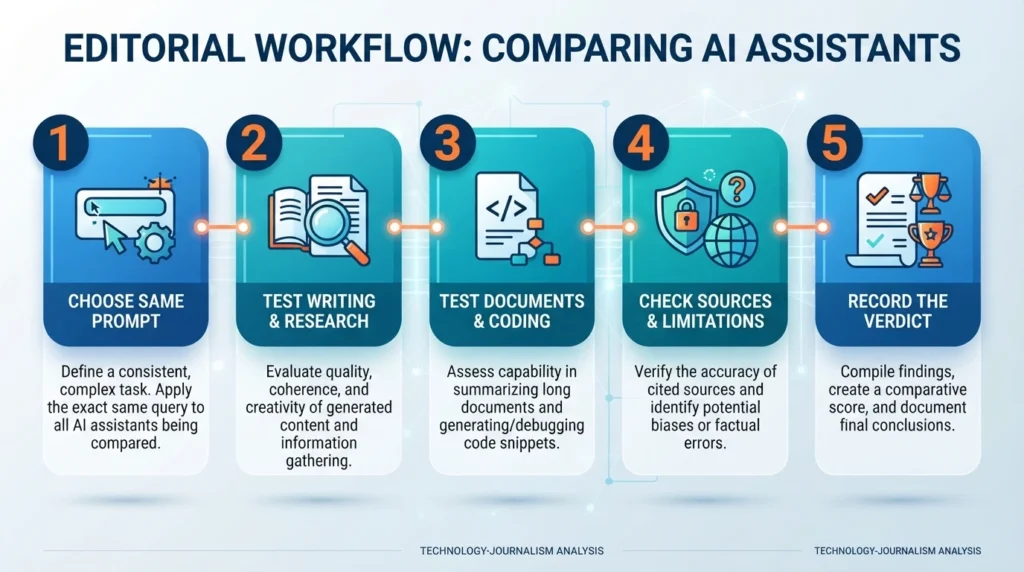
It does not yet include standardized side-by-side hands-on testing. Before publication, the editorial team should test every tool using the same prompts for writing, research, document analysis, coding, source citation, and usability.
The main evaluation criteria are:
- Ease of use.
- Writing and editing quality.
- Research and citation features.
- Coding support.
- Document and file handling.
- Integrations.
- Free-plan value.
- Paid-plan value.
- Privacy documentation.
- Data-handling options.
- Reliability.
- Suitability for a specific workflow.
AI tools can produce different results depending on the model, plan, prompt, region, and product version. The recommendations below should therefore be treated as practical guidance rather than permanent rankings.
Claude — best for writing and long-form reasoning
Best for: Writers, researchers, professionals, and developers who need detailed, structured output.

Short verdict: Claude is a strong option for long-form writing, editing, document analysis, and multi-step reasoning. It may suit users who prefer a thoughtful writing style and a focused interface.
Main strengths:
- Strong fit for long-form writing and editing.
- Useful for structured analysis and complex explanations.
- Projects and file-based workflows can help organize related work.
- Developer-focused features are available on eligible plans.
Limitations:
- Free and paid plans have usage limits.
- Features and availability can vary by plan and country.
- It is not the best choice if your main priority is native image generation.
What it may do better than ChatGPT: Claude may be a useful alternative for readers who prefer its writing style, document workflows, or approach to structured analysis.
Where ChatGPT may still be a better fit: ChatGPT may be preferable for users who want a broader ecosystem of custom assistants, multimodal features, or established third-party workflows.
Example use case: Turning rough meeting notes into a structured report while clearly separating direct information from assumptions.
Practical test prompt:
Here are my raw meeting notes: [paste notes]. Turn them into a one-page executive summary with a recommendation, action items, and a separate list of anything you had to infer. Do not invent facts.
Current pricing: Anthropic lists Claude Pro at $20 per month when billed monthly or $17 per month when billed annually in the US. Team and higher-usage plans have separate prices and limits. Verify local pricing, tax, and current plan features before publishing.anthropic+1
Official links:
Related AIProductNews article:
Claude vs ChatGPT
Google Gemini — best for Google Workspace users
Best for: People who already use Gmail, Docs, Sheets, Drive, Chrome, Android, and other Google services.
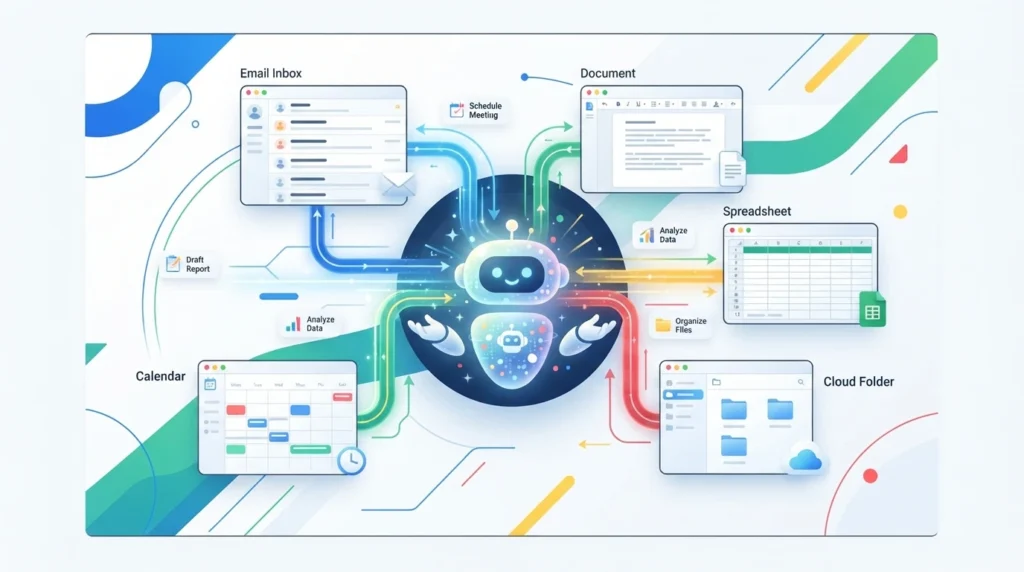
Short verdict: Gemini can be a convenient choice when your work already happens inside Google’s ecosystem. Its main advantage is reducing the need to copy information between a separate chatbot and Google applications.
Main strengths:
- Integration with Google services, depending on the account and plan.
- Useful for drafting, summarizing, and organizing information.
- Google’s research and document features can support longer workflows.
- Paid plans may include additional storage or advanced AI features.
Limitations:
- Features vary by country, account, and subscription.
- The most capable models or higher usage limits may require a paid plan.
- Google Workspace business features may not be identical to consumer Gemini features.
What it may do better than ChatGPT: Gemini can be more convenient for people who need help inside Gmail, Docs, Sheets, Drive, or other Google products.
Where ChatGPT may still be a better fit: ChatGPT may be preferable for users who want a separate AI workspace, custom assistants, or a wider range of established third-party workflows.
Example use case: Summarizing a long email thread and preparing a reply without moving the content into a separate chatbot.
Practical test prompt:
Summarize this email thread into three key points, identify the unresolved issue, and draft a polite reply that confirms the next action. Do not add information that is not in the thread.
Current pricing: Google’s AI subscription names, prices, storage benefits, and feature availability vary by market and may change. [VERIFY BEFORE PUBLISHING: Check the current official Google AI subscription page for your target country.]
Official links:
Related AIProductNews article:
Grok vs ChatGPTT
Microsoft Copilot — best for Microsoft 365 users
Best for: Professionals and organizations that work primarily in Word, Excel, PowerPoint, Outlook, Teams, and other Microsoft products.
Short verdict: Copilot’s main value is its connection to Microsoft workflows. It can be especially useful when users want AI help inside the applications they already use instead of moving information to a separate chatbot.
Main strengths:
- Designed for Microsoft 365 workflows.
- Can assist with documents, spreadsheets, presentations, and email, depending on the plan.
- Business and enterprise offerings may include additional security and administration features.
- Microsoft offers both consumer and business Copilot experiences.
Limitations:
- Features differ between free Copilot, consumer plans, Microsoft 365 plans, and business or enterprise subscriptions.
- Business access may require a qualifying Microsoft 365 licence.
- Licensing can be more complicated than buying a standalone chatbot subscription.
What it may do better than ChatGPT: Native access inside Word, Excel, Outlook, and Teams can reduce copy-and-paste work for Microsoft users.
Where ChatGPT may still be a better fit: ChatGPT may offer a simpler standalone experience for users who do not need Microsoft 365 integration.
Example use case: Asking Copilot in Excel to help create a formula or asking it in Outlook to organize a group of messages.
Practical test prompt:
In this spreadsheet, identify the rows where revenue decreased by more than 10% compared with the previous month and suggest an Excel formula that can flag them.
Current pricing: Microsoft has separate individual, Microsoft 365, business, and enterprise pricing. Some business plans require a qualifying Microsoft 365 licence. [VERIFY BEFORE PUBLISHING: Confirm the exact plan, add-on price, licence requirement, country, and billing period.] Microsoft’s published pages show that consumer and business pricing are not interchangeable.microsoft+1
Official links:
Perplexity — best for web research and citations
Best for: Students, researchers, journalists, bloggers, and anyone who wants to check information against online sources.

Short verdict: Perplexity is built around web search and source-backed answers. It can be more convenient than a general chatbot when the reader needs to follow links, compare sources, or research a current topic.
Main strengths:
- Research responses commonly include clickable sources.
- Search-focused interface for current topics.
- Useful for beginning competitor, product, and market research.
- Some plans provide access to additional models or advanced research features.
Limitations:
- Citation quality can vary by query.
- Free and paid plans may limit advanced searches or research modes.
- It is not necessarily the best tool for creative writing or casual conversation.
What it may do better than ChatGPT: Source visibility and web-search-oriented workflows are central to Perplexity’s experience.
Where ChatGPT may still be a better fit: ChatGPT may be preferable for open-ended brainstorming, writing, file analysis, or workflows that do not require web research.
Example use case: Researching recent product announcements and opening the cited sources before writing an article.
Practical test prompt:
Find the three most important AI product announcements from the past two weeks. Cite the original sources, include publication dates, and separate confirmed facts from your interpretation.
Current pricing: Perplexity offers free and paid plans, but plan names, search limits, annual billing, and model access can change. [VERIFY BEFORE PUBLISHING: Check the current official plans page for your target market.]
Official links:
Related AIProductNews article:
Perplexity vs ChatGPT
DeepSeek — best for cost-conscious technical use
Best for: Developers, technical users, and readers comparing lower-cost AI options.
Short verdict: DeepSeek is worth considering when cost is a major factor, especially for users evaluating technical tasks or API-based applications. Business users should review data handling, hosting, regional availability, and model licences before using it with sensitive information.
Main strengths:
- Free chat access is available.
- Technical and coding use cases are a major part of its appeal.
- API and model pricing should be compared directly with alternatives.
- Some model versions are available for developers to evaluate or deploy.
Limitations:
- Availability and response speed can vary.
- The ecosystem is smaller than those of OpenAI, Google, Microsoft, or Anthropic.
- Organizations may have data-residency or compliance questions to investigate.
- Model licences can differ, so open-weight availability does not automatically mean unrestricted commercial use.
What it may do better than ChatGPT: Cost may be its main advantage for users evaluating high-volume technical or API workloads.
Where ChatGPT may still be a better fit: ChatGPT may offer a more mature ecosystem, broader integrations, and a simpler choice for teams that want a widely supported commercial product.
Example use case: Classifying customer-support messages or testing a lower-cost model before building an AI-powered workflow.
Practical test prompt:
Classify each support message as billing, technical issue, account access, or other. Return valid JSON with the category and a one-sentence explanation. Do not invent information.
Current pricing: DeepSeek pricing and API rates can change. [VERIFY BEFORE PUBLISHING: Check the official API documentation, model licence, data policy, and current rates.]
Official links:
NotebookLM — best for working with your own documents
Best for: Students, researchers, professionals, and readers who want AI assistance based on uploaded documents.
Short verdict: NotebookLM is designed around source-based work rather than unrestricted general chat. It can be useful for lecture notes, reports, research papers, meeting documents, and other material that you want to summarize or study.
Main strengths:
- Designed to ground answers in uploaded sources.
- Useful for summaries, study guides, questions, and document analysis.
- Can help organize research material.
- May provide citations or references to source passages, depending on the feature and format.
Limitations:
- It is less useful when you do not have source documents.
- It can still misunderstand or summarize material incorrectly.
- Source limits and advanced features vary by plan.
- Users should avoid uploading confidential information without checking the current policy.
What it may do better than ChatGPT: NotebookLM focuses on working from the user’s own documents, which can make source-based study and research easier to manage.
Where ChatGPT may still be a better fit: A general chatbot may be more useful for open-ended questions, brainstorming, image generation, or tasks unrelated to uploaded sources.
Example use case: Uploading course notes and creating a revision guide, flashcards, and practice questions.
Practical test prompt:
Using only the documents I uploaded, create 10 quiz questions, provide an answer key, identify the most important concepts, and state clearly when the documents do not contain enough information to answer a question.
Current pricing: NotebookLM offers free access through Google, while higher limits or advanced features may be connected to Google’s paid AI plans. [VERIFY BEFORE PUBLISHING: Check the current notebook, source, usage, and plan limits.]
Official links:
GitHub Copilot — best for coding inside an IDE
Best for: Developers who want code completion, debugging, chat, or agent-style help inside their development environment.
Short verdict: GitHub Copilot is a specialized coding assistant rather than a direct replacement for a general AI chatbot. Its main advantage is that it works inside supported editors and developer workflows.
Main strengths:
- Inline code suggestions.
- Coding assistance inside supported development environments.
- Useful for debugging, refactoring, and explaining code.
- Business and enterprise plans may include administrative or policy controls.
Limitations:
- It is primarily designed for software development.
- Free access and paid usage limits vary by plan.
- AI-generated code still needs review, testing, and security checks.
- Premium requests or agent features may have separate limits.
What it may do better than ChatGPT: Native editor integration can make coding assistance faster and more convenient than switching between a chatbot and an IDE.
Where ChatGPT may still be a better fit: ChatGPT may be more flexible for explaining concepts, brainstorming architecture, writing documentation, and handling non-code tasks.
Example use case: Refactoring a function and updating its unit tests without leaving the editor.
Practical test prompt:
Refactor this function to handle null input safely, explain the change, and write unit tests for the normal, empty, and null-input cases.
Current pricing: GitHub offers free and paid Copilot plans, but completions, chat, premium requests, credits, and agent usage can vary. [VERIFY BEFORE PUBLISHING: Check the current official plan page and monthly usage limits.]
Official links:
Related AIProductNews article:
Use ChatGPT to Study Smarter
Poe — best for comparing multiple AI models
Best for: Readers who want to compare different AI models without maintaining multiple separate subscriptions.
Short verdict: Poe works as a multi-model platform rather than a single AI model. It can be useful for testing the same prompt across different bots and seeing which type of response fits your workflow.
Main strengths:
- Access to different AI bots in one service.
- Useful for comparing responses.
- Custom bot creation can support repeatable prompts.
- May include text, image, audio, or video bots depending on availability.
Limitations:
- Quality depends on the selected bot and underlying model.
- Usage points and plan limits can vary.
- A direct subscription to a model provider may offer deeper integrations.
- Model availability can change.
What it may do better than ChatGPT: Poe makes it easier to compare different providers in one interface.
Where ChatGPT may still be a better fit: ChatGPT may be simpler if you already know which model and ecosystem you want to use.
Example use case: Testing a difficult writing or summarization prompt across several models before choosing one for a larger workflow.
Practical test prompt:
Summarize this contract clause in plain English, identify unusual wording, and list questions I should ask a qualified professional. Compare the answers from three different models.
Current pricing: Poe offers free and paid access, but subscription prices, points, and included models may change. [VERIFY BEFORE PUBLISHING: Check the current official Poe subscription page.]
Official links:
Related AIProductNews article:
top 99 AI Tools
Mistral Le Chat — best for European-provider and open-weight options
Best for: Users evaluating a European AI provider, regional data-handling preferences, or open-weight model options.
Short verdict: Mistral Le Chat is a relevant alternative for readers who want to explore Mistral’s AI ecosystem. Its European base and model options may matter to some organizations, but European location alone does not guarantee that a particular plan satisfies every privacy or compliance requirement.
Main strengths:
- Developed by a European AI company.
- Offers access to Mistral’s AI products through its own assistant experience.
- Open-weight model options may interest developers.
- Can be relevant to organizations evaluating regional data-handling preferences.
Limitations:
- Smaller ecosystem than the largest US AI providers.
- Features, connectors, and plans can change.
- Businesses must review enterprise, data-processing, and residency terms directly.
- Open-weight model licences can vary.
What it may do better than ChatGPT: Mistral may be relevant to developers and organizations looking for a European provider or model options that support more control over deployment.
Where ChatGPT may still be a better fit: ChatGPT may offer a broader consumer ecosystem, more established integrations, and easier access to widely used workflows.
Example use case: Evaluating an AI provider for a European team that wants to understand regional data-handling and deployment options.
Practical test prompt:
Summarize this internal policy for a non-technical compliance reader. Separate information directly supported by the document from assumptions that require confirmation.
Current pricing: Mistral offers free and paid options, but plan names, regional pricing, connectors, and team features must be checked before publication. [VERIFY BEFORE PUBLISHING: Confirm current official pricing and data-processing terms.] Mistral has promoted broad free access to several Le Chat features, but availability can change.mistral
Official links:
Related AIProductNews article:
Best AI tools for small businesses
You.com — best for combining search and AI chat
Best for: Users who want AI assistance alongside a search-oriented workflow.

Short verdict: You.com combines conversational AI with search-style use cases. It may appeal to readers who want a synthesized response while still seeing web information and sources.
Main strengths:
- Search-oriented AI workflows.
- Conversational answers for research and comparisons.
- May support custom agents or repeatable workflows, depending on the current product version.
- Suitable for readers who prefer a search-plus-chat experience.
Limitations:
- Smaller community and ecosystem than the largest AI services.
- Product packaging and subscription options may change.
- Users should verify how sources are selected and displayed.
- Model and feature availability may vary by plan.
What it may do better than ChatGPT: Its search-oriented format may be more familiar to readers who want AI assistance without giving up a search-results style.
Where ChatGPT may still be a better fit: ChatGPT may provide a more mature standalone assistant experience for users who do not need a search-first interface.
Example use case: Comparing products while reviewing the web sources used to support the answer.
Practical test prompt:
Compare three tools in this category using current official sources. Show the main differences, list the sources, and identify any information you could not verify.
Current pricing: You.com’s consumer plans and pricing may change. [VERIFY BEFORE PUBLISHING: Confirm the current plan names, prices, usage limits, and features directly on You.com.]
Official links:
Related AIProductNews article:
Best AI tools for research
Duck.ai — best for no-account, privacy-oriented AI chat
Best for: Readers who want to use AI without creating a conventional account with a chatbot provider.
Short verdict: Duck.ai is designed around no-account access and privacy-oriented use. It can be useful for quick, everyday questions, but users should still read the current privacy information before submitting sensitive content.
Main strengths:
- No conventional AI account is required for basic use.
- Designed around DuckDuckGo’s privacy-oriented approach.
- Can provide access to multiple models, depending on current availability.
- Useful for quick everyday questions.
Limitations:
- Model access may be more limited than going directly to the provider.
- Daily usage limits may apply.
- Features and paid bundles can change.
- No-account access does not mean that every query is suitable for sensitive or confidential information.
What it may do better than ChatGPT: It can offer a simple way to try AI without creating a separate account with a major chatbot provider.
Where ChatGPT may still be a better fit: ChatGPT may offer more advanced features, larger context options, file tools, and persistent workflows.
Example use case: Asking a general question without creating another account or connecting a personal identity to a chatbot service.
Practical test prompt:
Explain the difference between two common business concepts in plain English. List any assumptions and identify what should be checked in an authoritative source.
Current pricing: Duck.ai offers free access, but available models, daily limits, and any wider DuckDuckGo subscription bundle should be verified. [VERIFY BEFORE PUBLISHING: Confirm current plan and privacy details.]
Official links:
Related AIProductNews article:
Best free AI tools
Meta AI — best for everyday assistance in Meta apps
Best for: Users who spend a lot of time in Facebook, Instagram, WhatsApp, or Messenger and want AI assistance inside familiar apps.
Short verdict: Meta AI is designed for everyday consumer use and can be convenient when it is already available inside the social or messaging applications you use. It is not necessarily the best choice for advanced research, professional documents, or coding.
Main strengths:
- Integrated into parts of Meta’s consumer ecosystem where available.
- Useful for quick questions, captions, replies, and brainstorming.
- Convenient for users who already use Meta messaging and social apps.
- Generally positioned as a consumer-focused assistant.
Limitations:
- Availability differs by country and application.
- It may be less suitable for technical work or long professional documents.
- Privacy and data-use terms should be reviewed before using it for personal or confidential information.
- Features can change quickly.
What it may do better than ChatGPT: Meta AI can be convenient for users who want assistance directly inside Meta’s social and messaging products.
Where ChatGPT may still be a better fit: ChatGPT may provide a broader standalone workflow for research, file analysis, coding, writing, and custom tasks.
Example use case: Drafting several social-media caption ideas or replying to a general customer message.
Practical test prompt:
Create five short social-media captions for this product description. Keep the tone friendly, avoid unsupported claims, and provide one version for Instagram and one for WhatsApp.
Current pricing: Meta AI availability, supported countries, model access, and features vary. [VERIFY BEFORE PUBLISHING: Confirm current availability and data-use terms for your target audience.]
Official links:
Related AIProductNews article:
Best AI tools for content creators
Which ChatGPT alternative should you use?
| If you need… | Consider… | Why |
|---|---|---|
| Writing, editing, and long-form analysis | Claude | A strong fit for structured writing and document work |
| Gmail, Docs, Sheets, and Google services | Google Gemini | Convenient integration with Google workflows |
| Word, Excel, Outlook, and Teams | Microsoft Copilot | Designed around Microsoft 365 use cases |
| Web research and source checking | Perplexity | Search-focused workflow with prominent sources |
| Lower-cost technical AI use | DeepSeek | Worth evaluating when cost is a major factor |
| Study help from notes and PDFs | NotebookLM | Built around uploaded-source workflows |
| Coding inside an IDE | GitHub Copilot | Designed for development environments |
| Comparing model outputs | Poe | Lets users try multiple bots in one service |
| European-provider and open-weight options | Mistral Le Chat | Relevant for users evaluating Mistral’s ecosystem |
| Search plus AI chat | You.com | Combines search-oriented and conversational workflows |
| No-account AI chat | Duck.ai | Designed for simple, privacy-oriented access |
| Everyday help inside social apps | Meta AI | Convenient for users already using Meta products |
The best choice depends on:
- The task you perform most often.
- Whether you need current web information.
- Whether you work in Google or Microsoft applications.
- Whether you upload documents.
- Whether you write code.
- How much you want to spend.
- How your data is handled.
- Whether the tool is available in your country.
ChatGPT alternatives FAQ
What is the best alternative to ChatGPT?
There is no universal winner. Claude is a strong option for writing and analysis, Gemini is convenient for Google users, Copilot fits Microsoft workflows, and Perplexity is useful for research with sources.
What is the best free ChatGPT alternative?
Several tools offer free access, including Claude, Gemini, Perplexity, DeepSeek, NotebookLM, Duck.ai, and Meta AI where available. Free limits and model quality differ, so check the current plan before choosing.
Is Claude better than ChatGPT?
It depends on the task. Claude may suit readers who prefer its writing style or document workflows, while ChatGPT may be a better fit for users who want a broader ecosystem and more general features.
Is Gemini better than ChatGPT?
Gemini may be more convenient for people who work extensively with Gmail, Docs, Sheets, Drive, and other Google services. ChatGPT may be preferable for users who want a separate AI workspace or different customization options.
Is Perplexity better than ChatGPT for research?
Perplexity is often convenient for research because web search and citations are central to its experience. ChatGPT also offers web-based research features, so compare the source quality and workflow for your specific task.
What is the best ChatGPT alternative for coding?
GitHub Copilot is designed specifically for coding inside development environments. Claude, Gemini, and DeepSeek can also help with programming, but the best choice depends on whether you need autocomplete, debugging, code explanations, or agent-style work.
What is the best ChatGPT alternative for students?
NotebookLM can be useful for studying from your own notes, textbooks, and uploaded documents. Perplexity can help with source-based research, while Claude and Gemini can help explain difficult concepts. Students should verify information and follow their school’s AI policy.
Are ChatGPT alternatives free?
Many offer free access, but free plans may limit messages, file uploads, model access, web searches, or advanced features. Check the current official plan before assuming a tool is unlimited or permanently free.
Can ChatGPT alternatives access the internet?
Some can search the web, including tools such as Gemini, Perplexity, Copilot, and You.com, depending on the current mode and plan. Other tools may rely primarily on their trained knowledge or uploaded files. Always confirm whether sources are current and visible.
Can AI chatbots replace Google Search?
Not completely. AI chatbots can summarize information and help begin research, but they can make mistakes, omit important context, or cite weak sources. Open the original source before relying on important information.
Which ChatGPT alternative is best for privacy?
The answer depends on the provider’s current privacy policy, data-retention rules, training controls, account settings, and plan type. Duck.ai is designed for no-account, privacy-oriented use, but users should still review the current policy before submitting sensitive information.
Should I use more than one AI chatbot?
Using two or three tools can be useful when each serves a different purpose. For example, you might use Perplexity for research, Claude for writing, NotebookLM for your own documents, and GitHub Copilot for code. Avoid paying for multiple subscriptions until you know which tools improve your actual workflow.
Final verdict
The best ChatGPT alternative depends on the task rather than the popularity of the product.
Choose Claude for writing and long-form analysis, Gemini if your work is built around Google services, and Microsoft Copilot if your organization relies on Microsoft 365. Choose Perplexity when you need web research with visible sources, NotebookLM when you want to work from your own documents, and GitHub Copilot for coding inside an editor.
DeepSeek may be worth evaluating when cost is the main concern, while Mistral Le Chat may interest users comparing European providers or open-weight model options. Poe is useful for comparing several models, Duck.ai is designed for no-account access, You.com combines search and chat, and Meta AI is convenient for everyday assistance inside Meta’s ecosystem.
Before choosing a paid plan or uploading sensitive information, verify the current features, prices, usage limits, privacy policy, and data-handling terms on the provider’s official website.